Belegio Logo
Belegio · Shopify app

The invoice app for Shopify – automatic, tax-correct, in 6 languages.

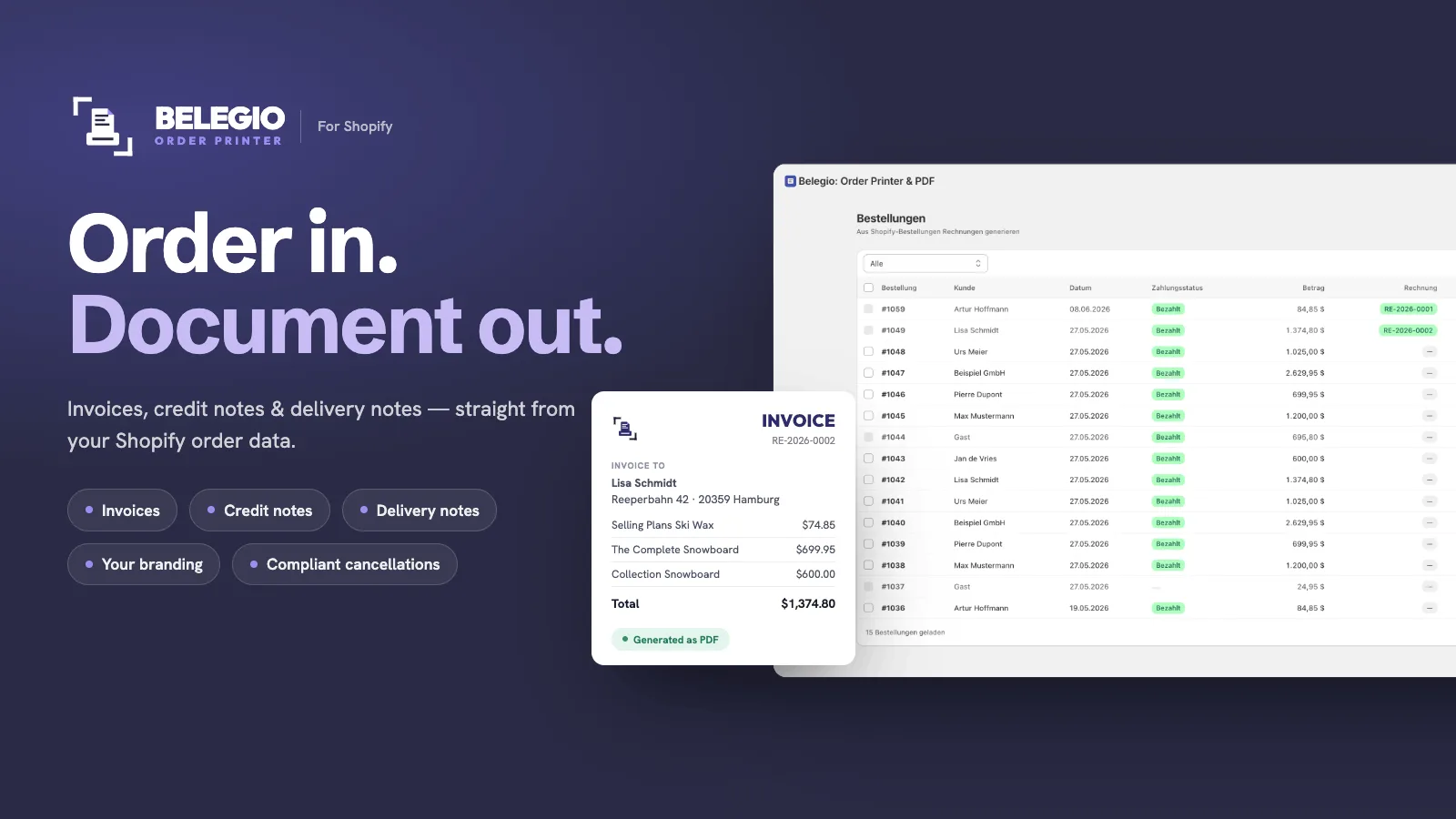
Belegio creates invoices, delivery notes, credit notes and quotes for your Shopify store — automatically for every order if you like, and emailed to your customers.
Install on the Shopify App Store →See all features
Mandatory details auto-filledGDPR · Hosted in GermanyE-invoicing (ZUGFeRD & XRechnung)Made in Germany
Belegio — order in, invoice out
How it works

Three steps. Then it runs itself.

01

Install

Install the app from the Shopify App Store with one click.

02

Set up

Import your company data from Shopify in one click, pick logo, colours and template. Done in minutes.

03

Switch on automation

From then on, every paid or shipped order gets its invoice on its own — emailed to your customer if you want.

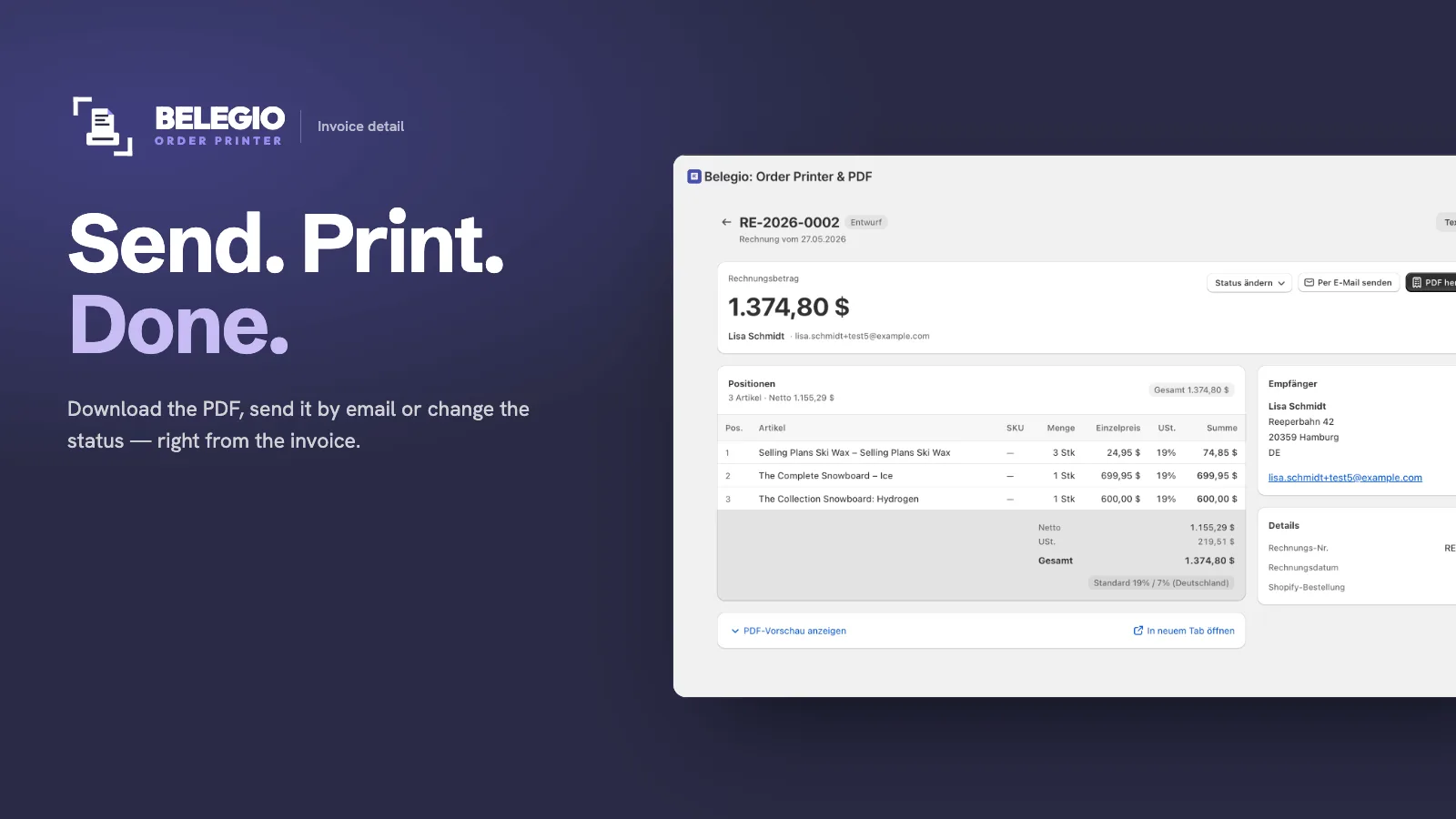
Invoice detail

Send. Print. Done.

Download the PDF, send it by email, change the status or issue a credit note — right from the invoice. No tabs, no back-and-forth.

  • One-click PDF download
  • Sent via your own mail server
  • Status & history in one view
Send, print, done — right from the invoice
A look inside

This is what Belegio looks like.

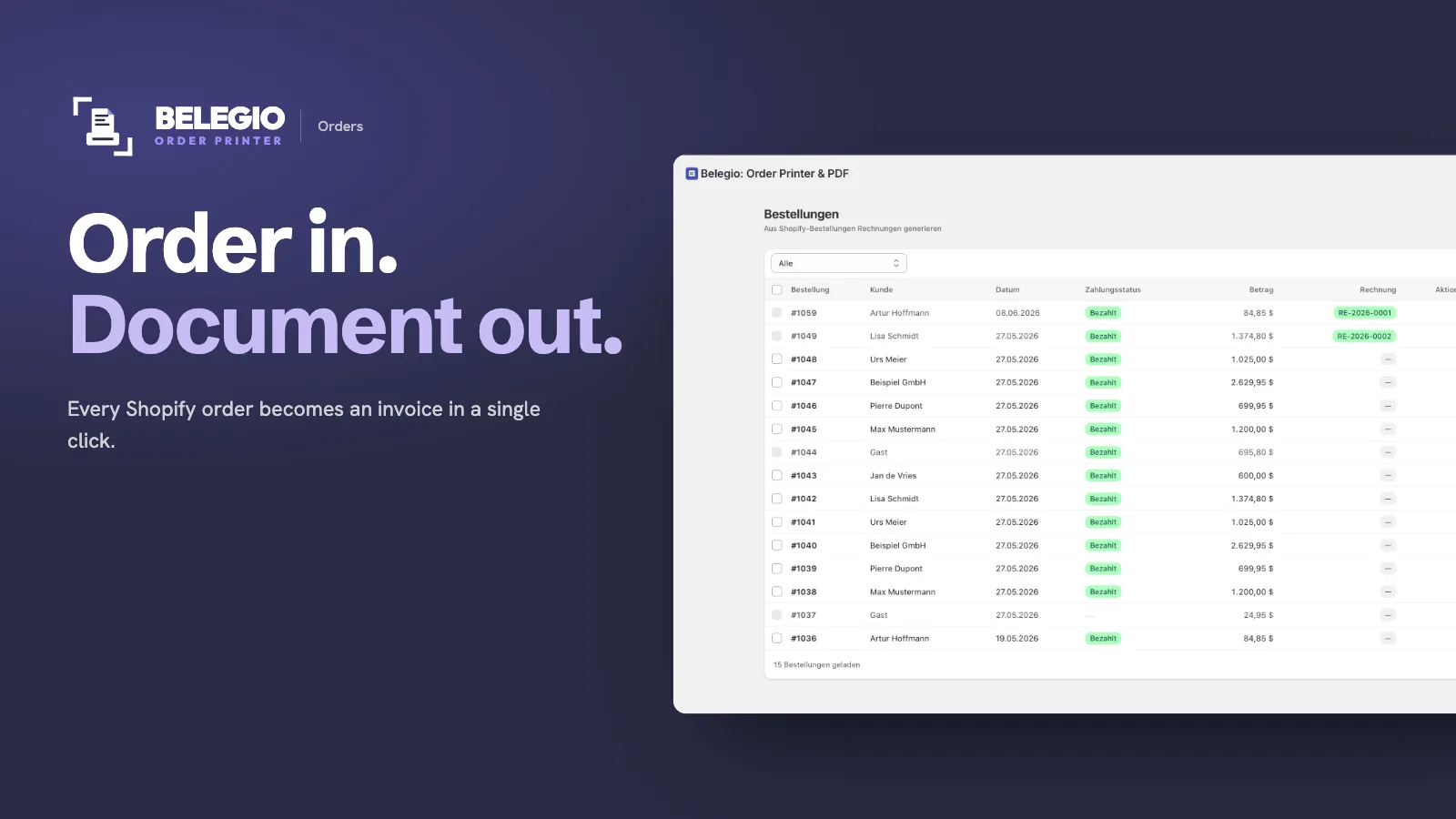
Belegio orders overview
Orders

All orders at a glance

Status, document, amount — and who is on it: automation, you, or a credit note.

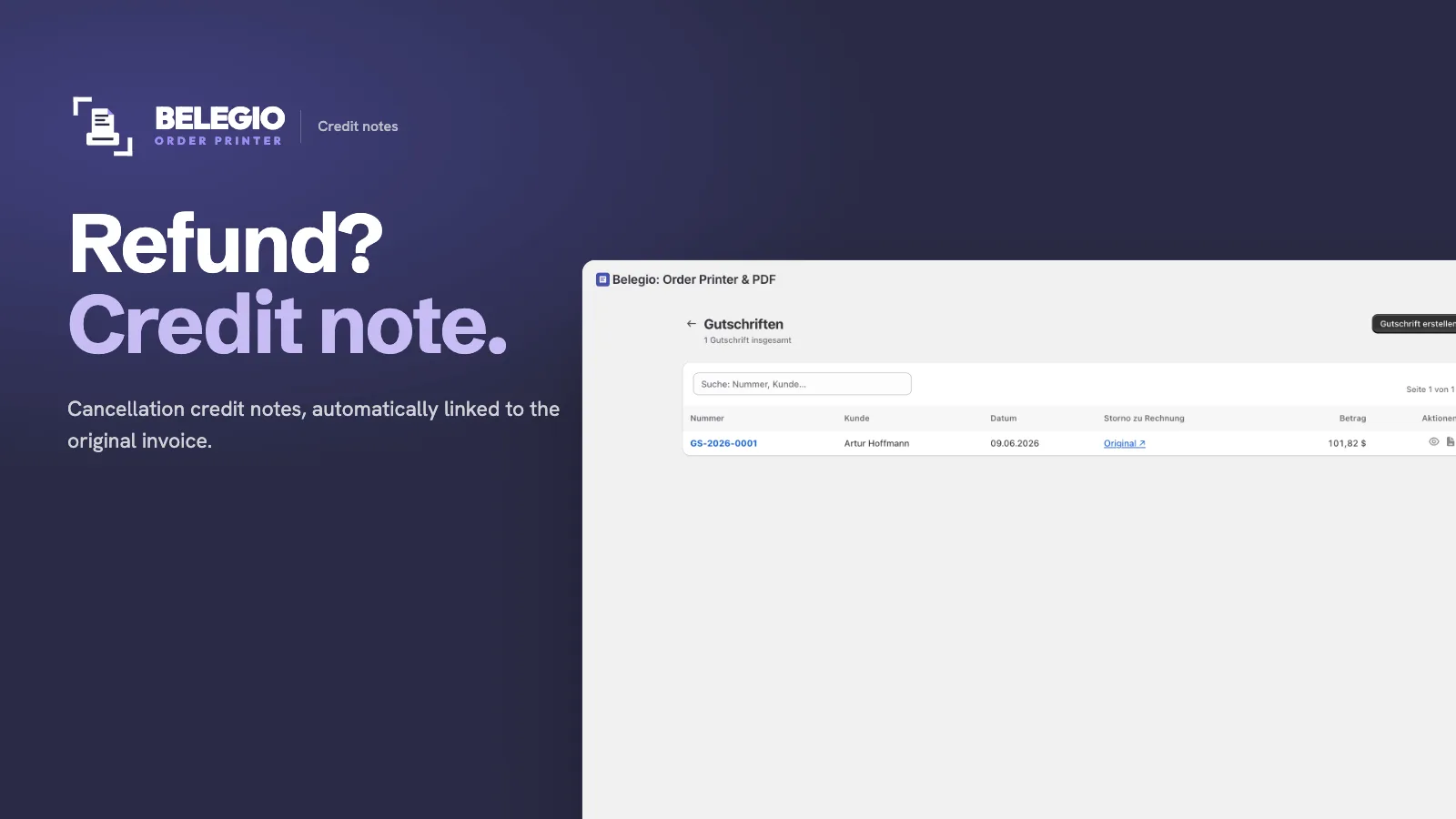
Belegio credit notes
Credit notes

Cancel with a credit note

Linked to the original invoice, partial credit notes included.

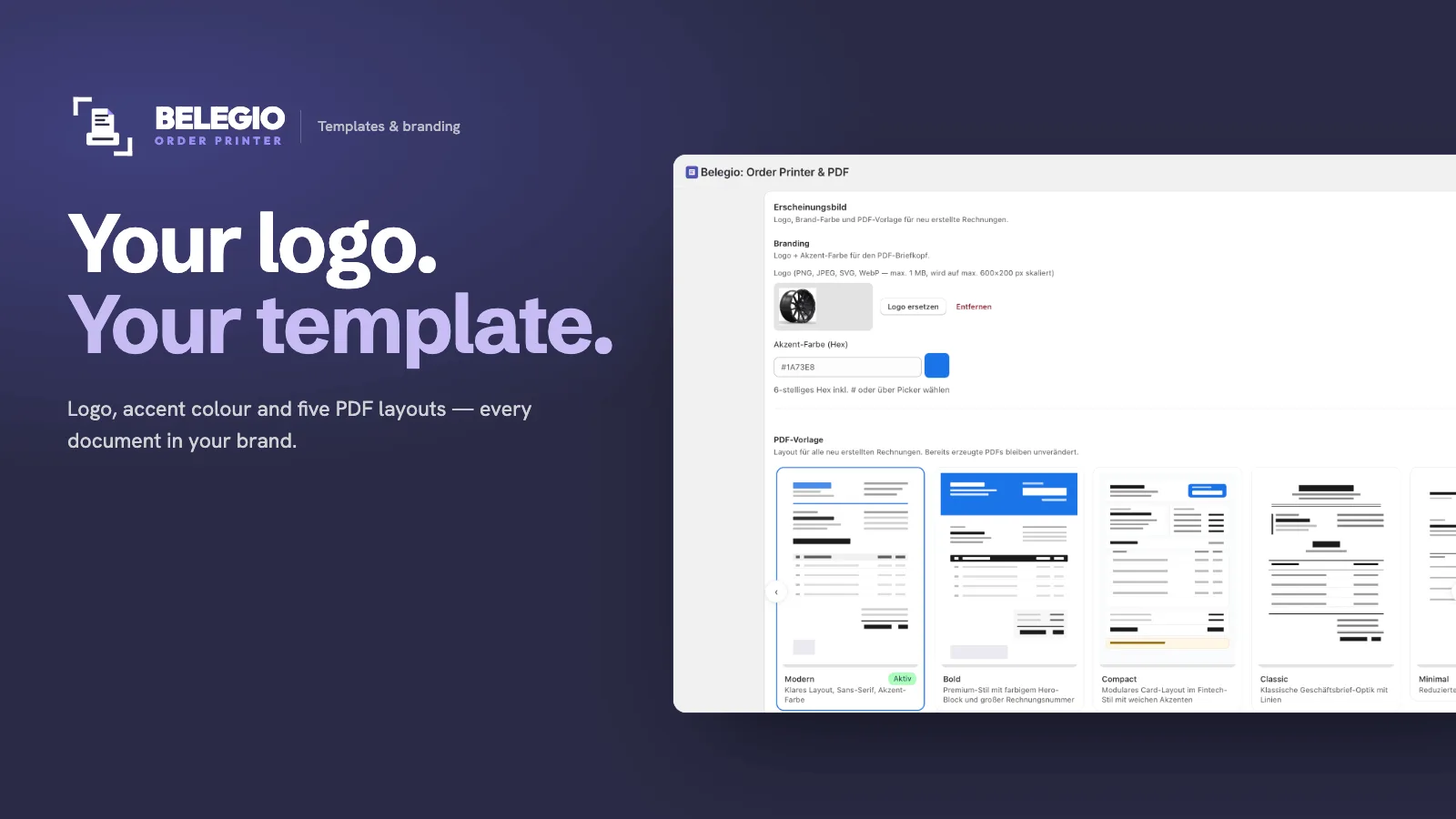
Belegio templates & branding
Branding

Your logo, your template

Logo, colours, six PDF layouts or your own template.

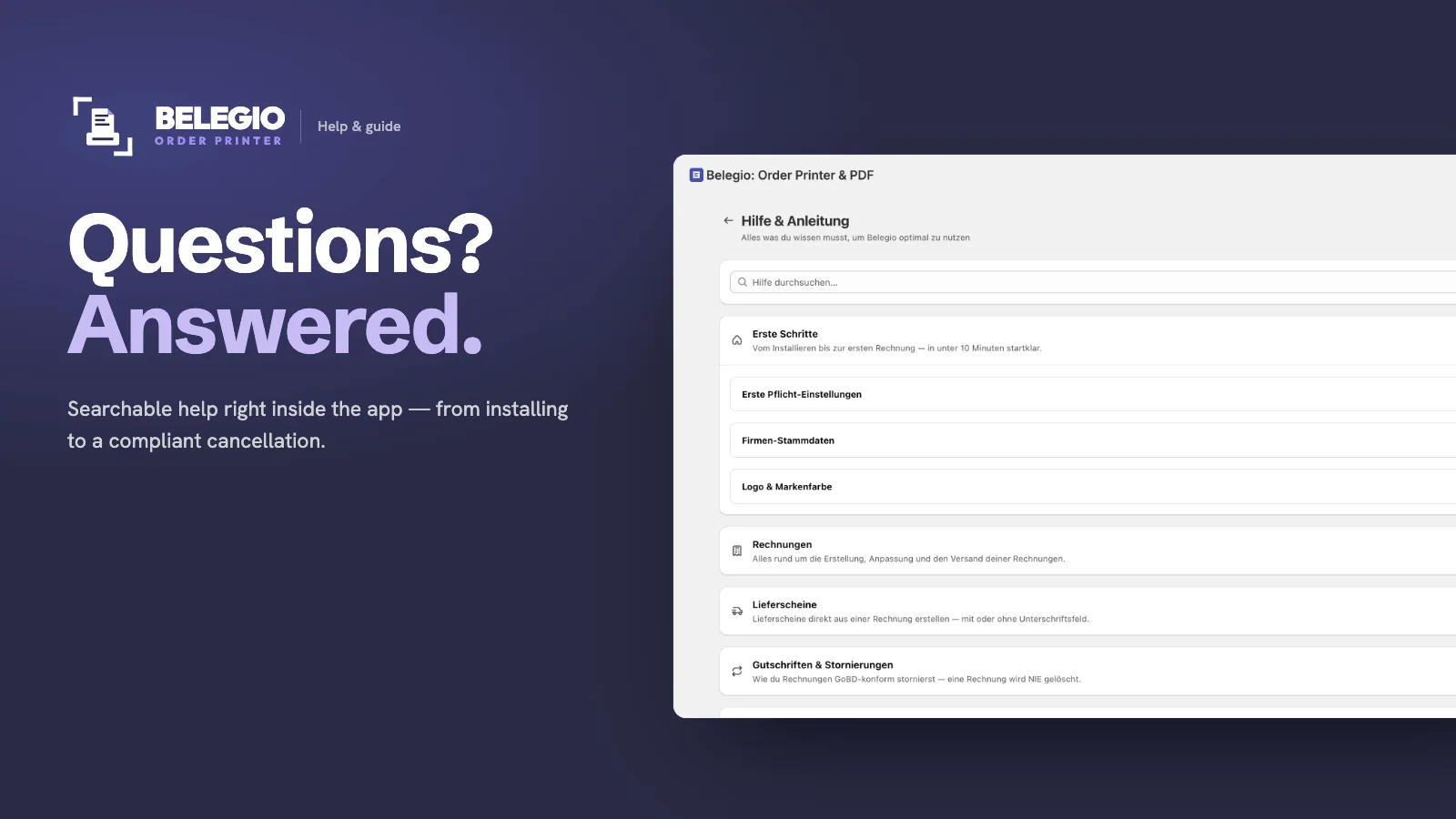
In-app help & guide
Help

Guides built into the app

Step by step, no support ticket needed.

Features

Everything for your Shopify documents

From the first invoice to the export for your accountant — this is what Belegio does today.

01Create documents
Invoice in one clickA finished invoice with tax and PDF from any Shopify order — one at a time or up to 50 at once.
Automatic invoicesOptionally on payment or on first fulfilment, without a click. Switch it on once and it runs.
Invoices without an orderFree-form invoice with customer, line items, gross or net, tax case, currency and service date.
PDF previewSee the finished document before a number is assigned.
QuotesWith validity, status (sent, accepted, declined, expired) and product search from your store. An accepted quote becomes an invoice in one click.
Delivery notesWithout prices, also for partial shipments with open items, tracking number and an optional signature field.
Your own number rangesFormat, digits and start number per document type — reset never, yearly or monthly.
Manual tax rateIf Shopify provides no tax, pick the rate yourself: DE, AT, CH, reverse charge, export, §19, §4 or a custom rate.
02Credit notes & corrections
Credit note & cancellationReferencing the original invoice — the original stays unchanged.
Partial credit by line itemOnly the items that come back. Several partial credit notes per invoice are possible.
Credit note for an amountFor goodwill or adjustments, with pro-rata VAT and a reason per line.
Automatic credit note on refundOptionally for every refund in Shopify. If no money flows back, no credit note is created.
Corrected invoiceAfter a cancellation, issue a corrected invoice for the same order with a new number.
Cancel a credit noteReverse a wrong credit note with its own cancellation document.
03E-invoicing
ZUGFeRDEN 16931Invoices and credit notes as PDF/A-3 with embedded XML per the European norm EN 16931 — the format the German B2B e-invoicing mandate requires.
XRechnung 3.0Automatically once a Leitweg-ID (German public-sector buyer reference) is present — optionally for all documents when business customers ask for it.
Leitweg-IDRead from the order, can be added later, check digit verified.
Validation with reportDownload the XML and validate it with the Mustang validator; share the report.
Clear guidanceIf something is missing for the e-invoice, Belegio tells you what it is and where to add it.
04Taxes
Tax case detected automaticallyDomestic, small business, EU B2B reverse charge, tax-exempt sales, EU B2C and exports; rates come from Shopify.
Reverse charge with VIES checkThe VAT ID is validated; the check note with date and request number is printed on the invoice.
VAT ID from many sourcesCompany field, note, tags, checkout fields and Shopify B2B companies.
Small business DE & ATOne switch, no VAT, the legal note matching your country of establishment.
EU small-business schemeWith an EX number, the note follows the delivery country.
Thresholds at a glanceThe dashboard warns about the small-business threshold, national EU thresholds and the EU-wide limit, and shows where you stand on the OSS threshold.
OSS & exportsEU B2C with the rate Shopify calculates for the destination country; exports tax-free with the legal note.
Plausibility hintFlags invoices without VAT although you are subject to standard taxation.
05B2B & public sector
B2B and public-sector detectionBusiness customers and public authorities are marked in the order list.
Net invoicesNet line items for business customers.
Tiered pricingAutomatic discounts included in the unit price — optionally for B2B orders only.
HS code & country of originPer line item from Shopify, also in the e-invoice.
Different shipping addressPrinted on the invoice if you want.
06Design & content
6 PDF templatesModern, Bold, Compact, Classic, Minimal and a DIN 5008 business letter with 20 styles. Delivery note and credit note follow the invoice layout.
Your own templateHTML and Liquid in the editor — start from a commented example or a copy of a template.
Logo & coloursLogo, accent and text colour, with live preview for invoice, delivery note and credit note.
PDF layout in detailContact block, three footer columns, page numbers, punch margin, contact person and "already paid" note.
TextsHeader and footer text, payment and delivery terms, payment term — overridable per invoice.
Company detailsRegister court, registration number, managing directors and legal form in the business letter.
Named discountsDiscount code, automatic discount or your own reason; free shipping shown transparently.
MetafieldsUp to 10 fields per source from order, customer, product, variant and line item — tested against your latest order.
GiroCode (EPC QR)Payment QR code on open EUR invoices — your customer pays via banking app.
QR code on the invoiceTop right, with the order status link or the invoice number.
Service period & order dateService period as a month and order date in the header, if you want.
07Delivery & customer communication
Email via your mail serverInvoices are sent through your own SMTP account — with connection test, test email and a hint for Microsoft 365.
Create and send separatelyInvoices can be created automatically without an email going out right away.
Custom email textsSubject, greeting, body, payment note and closing, with placeholders.
PDF link in Shopify emailsIn order and shipping confirmations; your customer downloads the invoice themselves.
Credit note link in the refund emailThe credit note arrives with Shopify’s refund email.
Self-service for customersIf a link has expired or the invoice is not ready yet, your customer requests a new link.
08Shopify & workflow
Print from the orderPrint invoice, delivery note and credit note right in Shopify admin, or download as PDF.
Bulk printingUp to 25 orders, several document types in one PDF.
Belegio card on the order pageAn order’s documents at a glance, right in Shopify.
Order list with ownershipShows per order whether automation takes over, you are on it, or a credit note is due.
DashboardRevenue net of credit notes, 30-day trend, tax distribution, top countries and top customers.
Activity logWhat the automation created, skipped or could not do — with a history per document.
1-click setupImport company data directly from Shopify.
09Export & bookkeeping
Export for your accountantInvoices, credit notes and cancellations for a period as CSV (Excel) or as a ZIP with all PDFs.
Bookkeeping with zrappFor handing over to sevdesk or Lexware Office there is our sister app zrapp.
10International
6 languagesApp, documents, emails and help in German, English, French, Dutch, Italian and Spanish — you set the document language for your store.
Store currencyDocuments in your store’s currency.
Based in Germany or AustriaLegal notes per your country of establishment, plus Austrian and Swiss rates for manual tax.
11Privacy & security
Hosted in GermanyServers in German data centres, processing only within the EU.
Data processing agreementData processing per Art. 28 GDPR, right in the app.
Read-only accessBelegio reads orders, customers and products — and changes nothing in your store.
Encrypted credentialsYour mail password is stored encrypted (AES-256).
Settings

You decide when documents are created and how they look

Every automation is its own switch and starts switched off — nothing happens until you want it to.

Automation

  • Create invoices automatically — on payment or on first fulfilment
  • Email invoices automatically
  • Credit note on refund in Shopify
  • All three switches separate, off by default

E-invoicing

  • Switch ZUGFeRD on or off
  • Force XRechnung for all documents
  • Add a Leitweg-ID per invoice

Company & taxes

  • Company data, legal form, register and managing directors
  • Contact, contact person, bank details with IBAN check
  • Small business and EU small-business scheme (EX number)
  • VAT ID, tax number, hint on implausible taxation

Appearance

  • Logo, accent colour and text colour
  • 6 templates, 20 business-letter styles or your own template
  • Punch margin and signature fields on the delivery note
  • QR code with order status link or invoice number

PDF layout

  • Contact block and three footer columns with placeholders
  • Raise the footer (0–15 mm)
  • Show or hide contact person and "already paid"
  • Credit note like invoice, footer text on credit notes
  • Service period as a month, order date in the header

Texts

  • Header and footer text, payment and delivery terms
  • Payment term in days
  • Note below the customer's VAT ID and on quotes
  • Show a different shipping address
  • Discounts in the unit price — off, B2B only or all

Email

  • Your own SMTP server with connection test and test email
  • Sender address and name
  • Subject, greeting, body, payment note, closing — eight text fields with placeholders

Shopify emails

  • PDF link for order confirmation, shipping confirmation and refund
  • Ready-made snippet to copy

Number ranges

  • Per document type: invoice, credit note, quote, delivery note
  • Format with placeholders, digits and start number
  • Reset never, yearly or monthly

Metafields & language

  • 5 sources with 10 slots each: order, customer, product, variant, line item
  • Test against your latest order
  • Document language: German, English, French, Dutch, Italian, Spanish
Privacy & data

Servers in Germany. Transparent data flows.

Belegio is built for German and European requirements from day one. Not bolted on later.

Hosted in Germany

Documents and order data are stored on servers in Germany. Exchanges with Shopify, your SMTP provider and other recipients may involve transfers outside the EEA. The privacy policy and DPA describe these data flows.

GDPR & DPA

Data processing per Art. 28 GDPR. You conclude the DPA right in the app.

Read-only access

Belegio reads orders, customers and products — and changes nothing in your store.

Belegio privacy policyBelegio data processing agreement (German)
Pricing

Free during launch.

All features. Unlimited documents. No credit card needed.

Launch phase – free
€0/ month

Unlimited access for early adopters

  • Unlimited invoices, delivery notes, credit notes & quotes
  • All 6 PDF templates and your own template
  • E-invoicing as ZUGFeRD & XRechnung
  • All tax cases (DE, AT, EU, third countries)
  • Personal support within 24h
Install on the Shopify App Store →
✓ No credit card✓ Cancel anytime

Fair pricing later — early adopters get priority treatment.

FAQ

Frequently asked questions

Does Belegio replace my accounting software?

No. Belegio creates and sends documents (invoice, delivery note, credit note, quote) directly from Shopify. For your accountant there is an export as CSV or ZIP with PDFs; for handing over to sevdesk or Lexware Office there is our sister app zrapp.

Does it run automatically?

If you want it to. Switch on automation in the settings — the invoice is then created on payment or on first fulfilment. Whether it is emailed right away is a separate setting.

What happens with refunds?

If you enable automatic credit notes, Belegio creates the matching credit note for every refund in Shopify, referencing the original invoice — partial refunds included. The feature is off by default so that shops with their own credit-note process do not see their workflow change unannounced.

Do invoices contain all mandatory details?

Belegio fills the mandatory fields automatically from your company and order data — they are complete when your company data is. Final tax assessment is up to your accountant.

Where is my data stored?

On servers in Germany. You conclude the data processing agreement (Art. 28 GDPR) right in the app.

Can I customise the design?

Yes. Logo, accent and text colour, six templates with live preview — or your own template in HTML and Liquid.

In which language and currency are documents created?

In the document language you choose for your store (German, English, French, Dutch, Italian or Spanish), and in your store’s currency.

Does Belegio support Germany's e-invoicing mandate?

Yes, for B2B. Belegio creates e-invoices per the European norm EN 16931 as ZUGFeRD (hybrid PDF/A-3 with embedded XML); if a Leitweg-ID is present, it creates an XRechnung for public authorities. You switch e-invoicing on in the settings. The legal situation in Germany: receiving e-invoices is mandatory since January 1, 2025; issuing rolls out gradually — until end of 2026 every seller may still issue other formats (e.g. PDF), and sellers with prior-year turnover up to €800,000 have until end of 2027. Out of scope: invoices to consumers (B2C), small-amount invoices up to €250, and small-business sellers (§19 UStG) are exempt from issuing.

I'm a small business — does it work?

Yes. One switch: invoices are created without VAT and with the legal note of your country of establishment — § 19 UStG in Germany, the Austrian rule if you are based in Austria. The EU small-business scheme with an EX number is supported too.

Can I write quotes?

Yes. Quotes with validity and status; products come from your store. When the customer accepts, the quote becomes an invoice in one click.

What happens to my documents if I uninstall the app?

Export through the app is unavailable after uninstalling. Shopify requests deletion no earlier than 48 hours later; if that notification is missing, a fallback handles shops uninstalled for more than 72 hours. This is not a guaranteed completion deadline. First save your documents and required e-invoice XML files: invoices, credit notes and cancellations as CSV or ZIP with PDFs (up to 300 per ZIP), quotes and delivery notes individually. The DPA governs return, deletion, reinstallation and backups. Statutory retention is your responsibility.

What does Belegio cost?

Nothing during the launch phase. All features included.

Guides

Invoicing in Shopify: the guides

Creating Shopify invoices: the four ways compared (2026)
Create Shopify invoices by hand, with Order Printer, via accounting software or automatically with an app: four ways compared on effort, cost and limits.
Customizing your Shopify invoice template: all options at a glance
Shopify invoice template: what the admin really includes, what you change with Liquid, what works without code and which details must be on the invoice.
Send Shopify invoices automatically: how to set it up
Send Shopify invoices automatically: which trigger is the right one, why the email should come from your domain and what happens with refunds.
Create & print Shopify delivery notes: the complete guide
Shopify delivery notes: create them automatically for every order – one by one or in bulk, in your design. With partial shipments and customs data.
Shopify Order Printer: Guide, Migration and Alternatives
Shopify Order Printer: what the app does, why the old version was deprecated, how template migration works – and when automation pays off.
Shopify for small businesses: creating invoices under §19 UStG correctly
Shopify small business invoices in Germany: create §19 invoices without VAT, with the correct exemption note, for every order. 2026 thresholds.
Shopify in Austria: What's different on the invoice
Shopify invoices in Austria: tax rates, mandatory details under § 11 UStG 1994, the €55,000 threshold with tolerance rule and the receipt obligation.
Help

We're here to help

We usually reply within 24 hours. The app also has a searchable help section covering taxes, templates, delivery and setup.

For error reports, please include: your shop domain (e.g. myshop.myshopify.com), the affected order number, what you expected and what happened — a screenshot helps.

support@zrapp.de

Install. Set up. Forget.

Once set up, your next order sends the invoice itself.

Install on the Shopify App Store →