Withdrawal button for Shopify – meet the EU requirement in force since 19 June 2026 in 2 minutes
A compliant withdrawal button as a theme app extension – no code. With an automatic confirmation receipt (server timestamp), returns sync and 10 languages. Completely free during the launch phase.
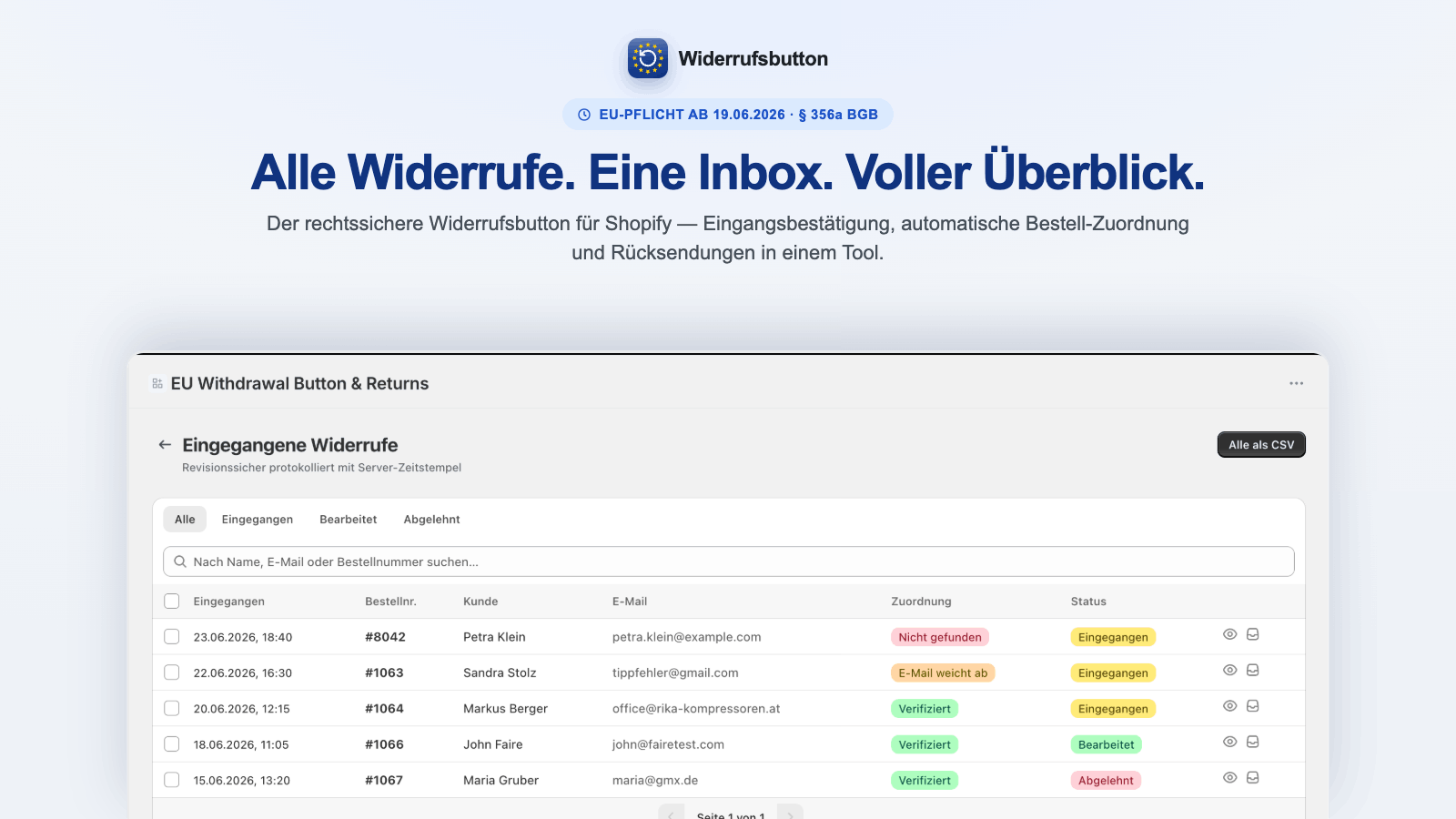
Since 19 June 2026, the withdrawal button is mandatory across the EU
Article 11a of the EU Consumer Rights Directive requires an accessible, prominent withdrawal function for covered consumer distance contracts concluded through online interfaces. It must remain available throughout the withdrawal period. Consumers must be able to withdraw through a two-step process – and receive a confirmation receipt with date and time on a durable medium without delay. This applies EU-wide, not only in Germany.
Everything the law requires – plus what saves you work
Theme app extension – no code
Enable via app embed or app block in the theme editor. Works with any Shopify theme, no code changes.
3 display modes
Visible button at the bottom of every page, a freely draggable floating button, or a pure menu link via #widerruf.
Timestamped confirmation
Two-step withdrawal, then an automatic email confirmation with a server timestamp – the legally required element.
Returns sync
Creates a real Shopify return from the withdrawal (returnCreate), incl. order matching and automatic deadline checks.
10 languages, auto-locale
The dialog appears automatically in the customer’s language – usable EU-wide with no manual upkeep.
Dashboard, status & notifications
All withdrawals in the dashboard with a status workflow (received/processed/rejected), email notification on every new request, CSV audit export and 3-year retention.
Works without a customer account
Works for guest checkouts – the customer only provides name, order number and email, no login required.
Matched to your branding
Accent color and the trigger and heading texts are fully customizable, incl. white-label – the button blends into your store design.
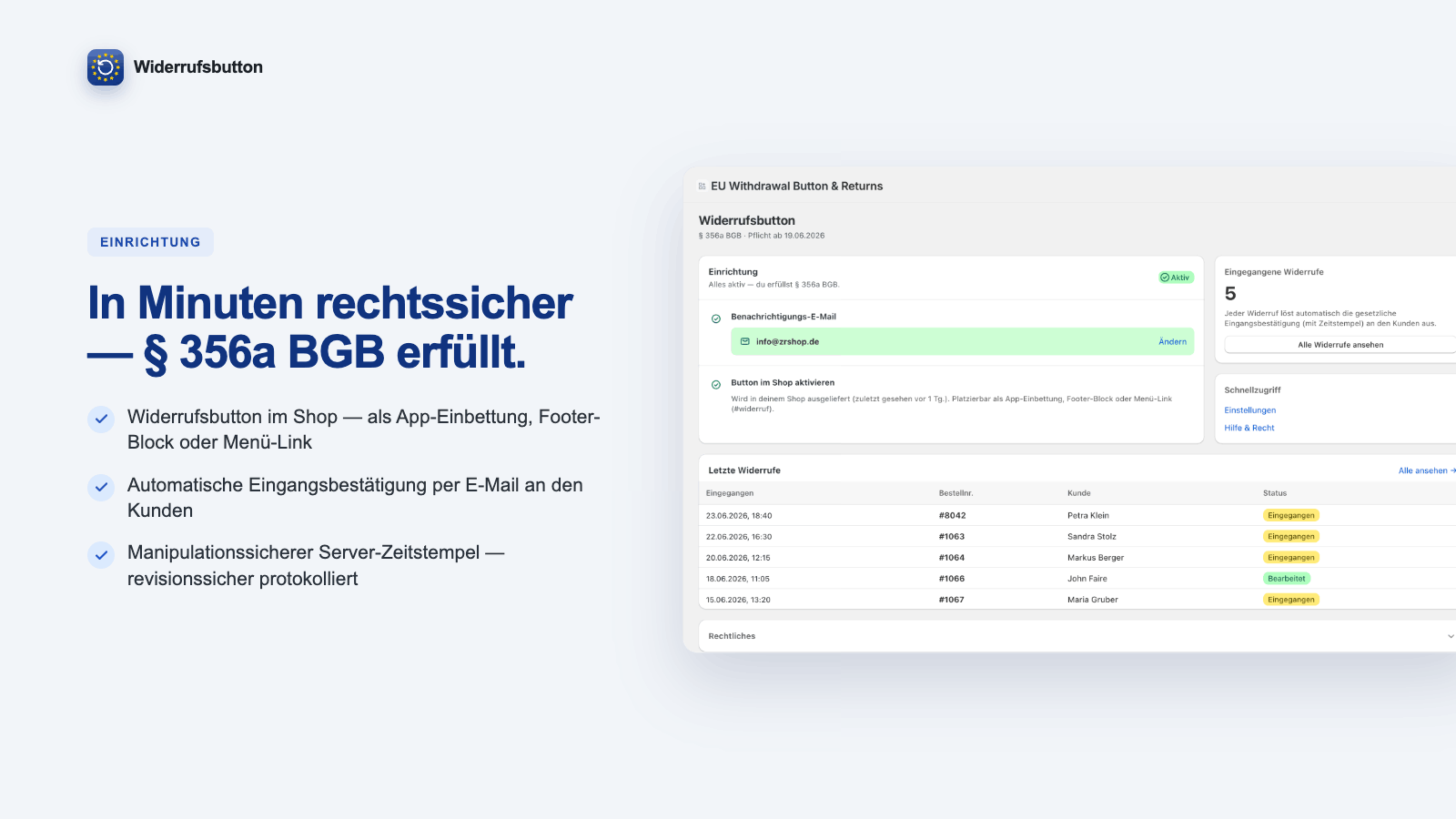
How to add the withdrawal button to Shopify
No code, no theme editing – done in under two minutes.
Install the app
Install the app for free from the Shopify App Store and open it in the admin.
Enable the app embed
In the theme editor under “App embeds”, turn on the withdrawal button – pre-configured.
Choose mode & language
Pick the display mode (bottom, floating or menu link), enter your notification email – live.
The app in action
A short video of setup and handling.
Completely free during the launch phase
During the launch phase every feature is completely free – no limits. Install now and stay free for good.
Article 11a of the EU Consumer Rights Directive
EU Directive 2023/2673 introduced a horizontal withdrawal function via Article 11a – it applies to all distance contracts with a right of withdrawal, not only financial services. The button must be permanently available, prominent and easily accessible; withdrawal must not be more complex than concluding the contract. The timestamped confirmation receipt is mandatory.
This page is general information and does not replace legal advice. Last updated: June 2026.
What a compliant withdrawal button must fulfil
Compliance apps from Germany
We build Shopify apps for the real requirements across the DACH and EU region – GDPR-compliant, with a DPA, hosting in Germany and personal support. Our apps belegio (e-invoicing) and zrapp (accounting) are live in the App Store.
Withdrawal button & Shopify – frequently asked questions
Is the withdrawal button mandatory on Shopify?
Yes. Since 19 June 2026 the withdrawal function is mandatory EU-wide for B2C online shops (Art. 11a of the Consumer Rights Directive).
Does the requirement only apply in Germany?
No, it applies EU-wide. The underlying directive is transposed in all member states – the date can vary slightly by country.
How do I add the withdrawal button to Shopify?
Install the app, enable the app embed in the theme editor, choose the mode and notification email. No code, about 2 minutes.
Does it work with any Shopify theme?
Yes. Via the theme app extension (app embed and app block) the integration is theme-independent.
What does the app cost?
During the launch phase the app is completely free – with all features. Install now and stay free for good.
Does the customer get a confirmation receipt?
Yes, automatically by email with a server timestamp – a legally required element.
Does the app create a real Shopify return?
Yes, included during launch. The returns integration supports order matching and deadline checks.
Does withdrawal work without a customer account (guest checkout)?
Yes. The customer provides name, order number and email – no account required.
In which languages does the button appear?
10 languages with automatic detection of the customer’s language (auto-locale).
Is the app GDPR-compliant?
Yes – a DPA is available, plus GDPR webhooks and 3-year retention for audit evidence.
Can I match the button to my branding?
Yes. Accent color, texts and 3 display modes; white-label is also included during launch.
Is a contact form enough as a withdrawal button?
No. The law requires a dedicated two-step withdrawal function (request → confirmation) with an automatic confirmation receipt – a regular contact form does not meet this.
Where must the withdrawal button be placed?
Permanently available, prominent and easily accessible – typically in the footer on every page, not behind a login. The app offers footer, floating and menu modes.
How must the withdrawal button be labeled?
Clearly recognizable as withdrawal, e.g. “Withdraw from contract”. You can adjust the text in the app; the default label is already compliant.
Who is behind the app?
zrapp.group, a Shopify app studio from Germany with more apps in the store (belegio, zrapp).
Meet the withdrawal requirement in 2 minutes
Start for free – compliant from day one.
Install on the Shopify App Store →Questions about the app or the requirement?
Drop us a line – we usually reply by the next business day (Mon–Fri).