
Shopify and BuchhaltungsButler: every order a finished invoice.
zrapp sends your Shopify orders to BuchhaltungsButler as invoices. With exactly the tax Shopify calculated, an invoice correction on refunds and a cancellation invoice on cancelled orders. One click, in bulk or automatically on payment.
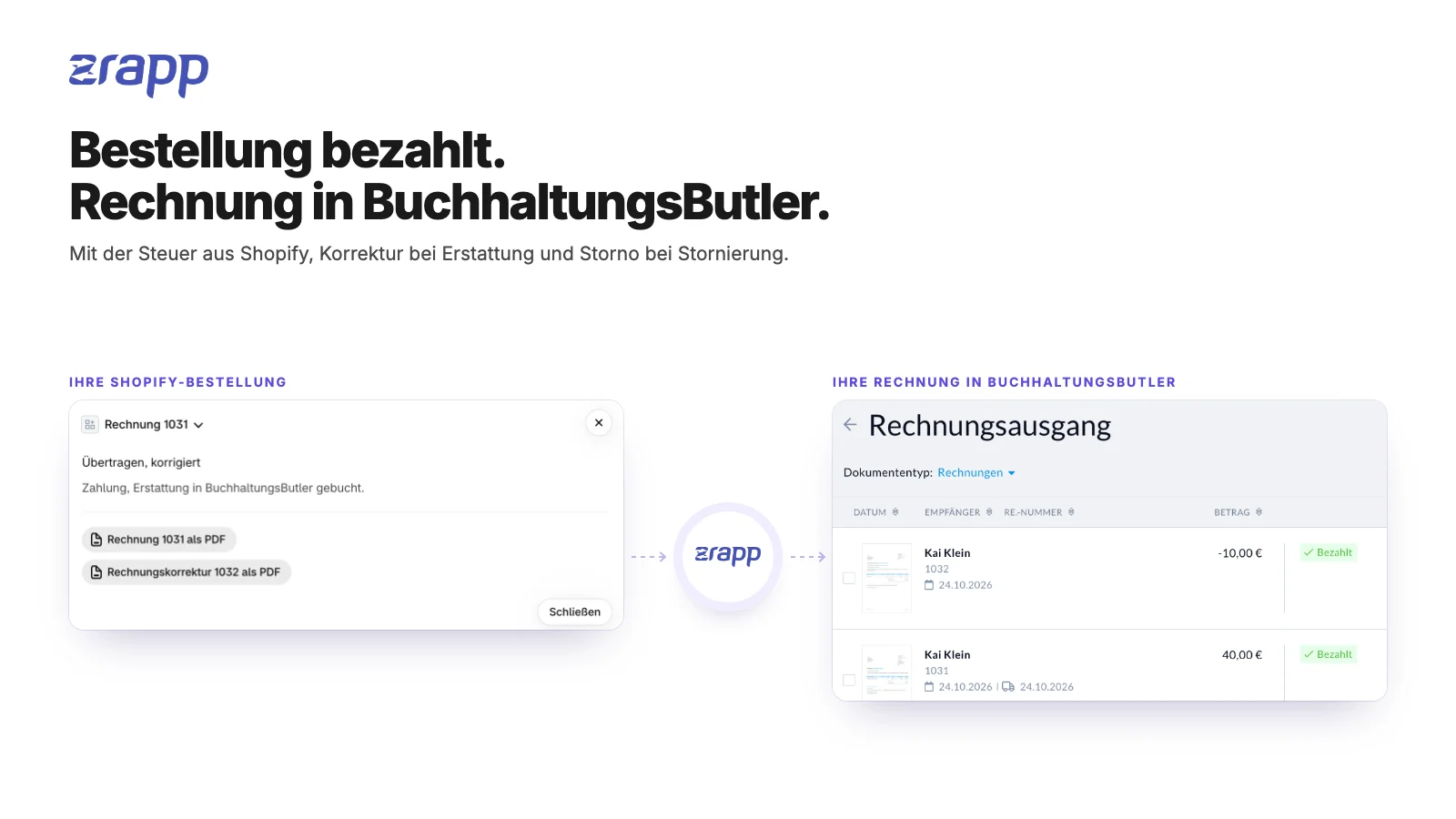
From Shopify to BuchhaltungsButler, no retyping.
Order gets paid
Shopify knows the customer, line items, discounts, shipping and the tax per line. zrapp leaves all of that as it is.
Checks and transfers
zrapp identifies the tax case, checks VAT IDs in the EU database, converts foreign currency and creates the invoice through the API. If something doesn’t fit, zrapp transfers nothing and tells you why.
Invoice is there
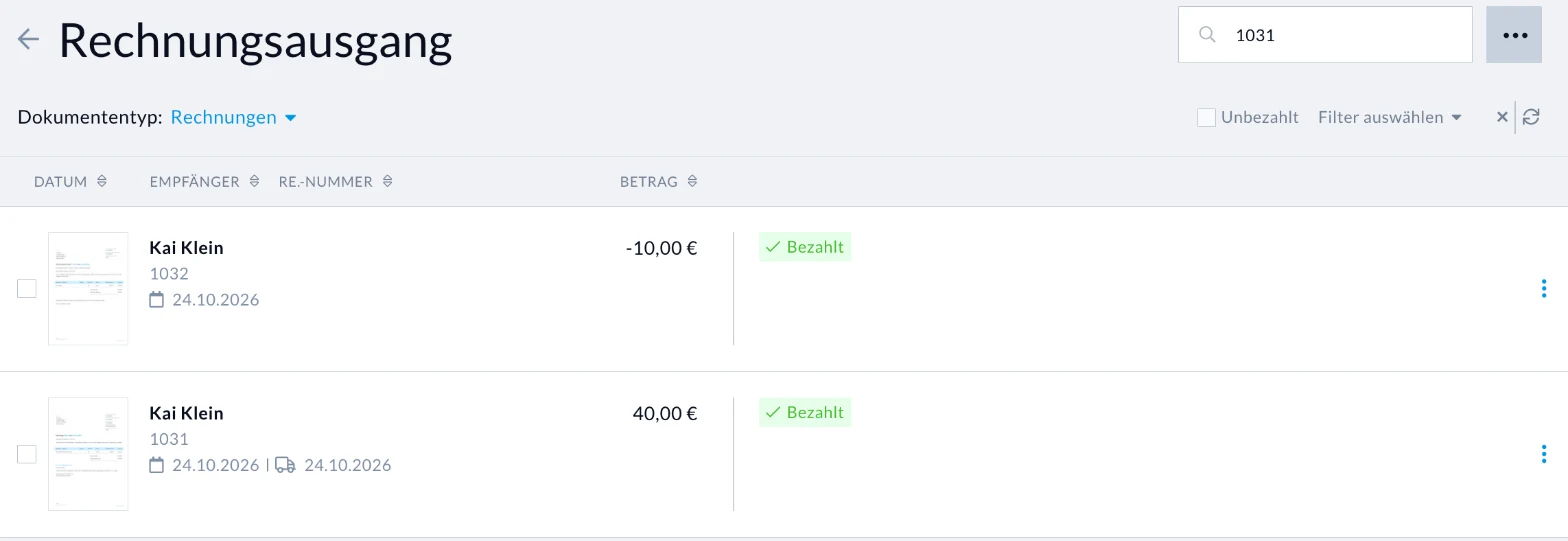
The invoice sits in your outgoing invoices, numbered from your number range, with a payment reference and a link to the order. BuchhaltungsButler matches payments by that reference.
How the invoice arrives.
zrapp doesn’t create drafts but finished invoices. BuchhaltungsButler assigns the number from your number range; layout, logo and bank details come from your invoice settings there.
- Payment reference “Shopify #order number”, which BuchhaltungsButler uses to find the payment
- A comment on the document with a link straight to the order in Shopify
- Optionally the Shopify customer ID as customer number
- Customer name, company and address right on the invoice, no duplicate contacts
- In Shopify: a note and metafields with invoice number and status
Set up in five steps
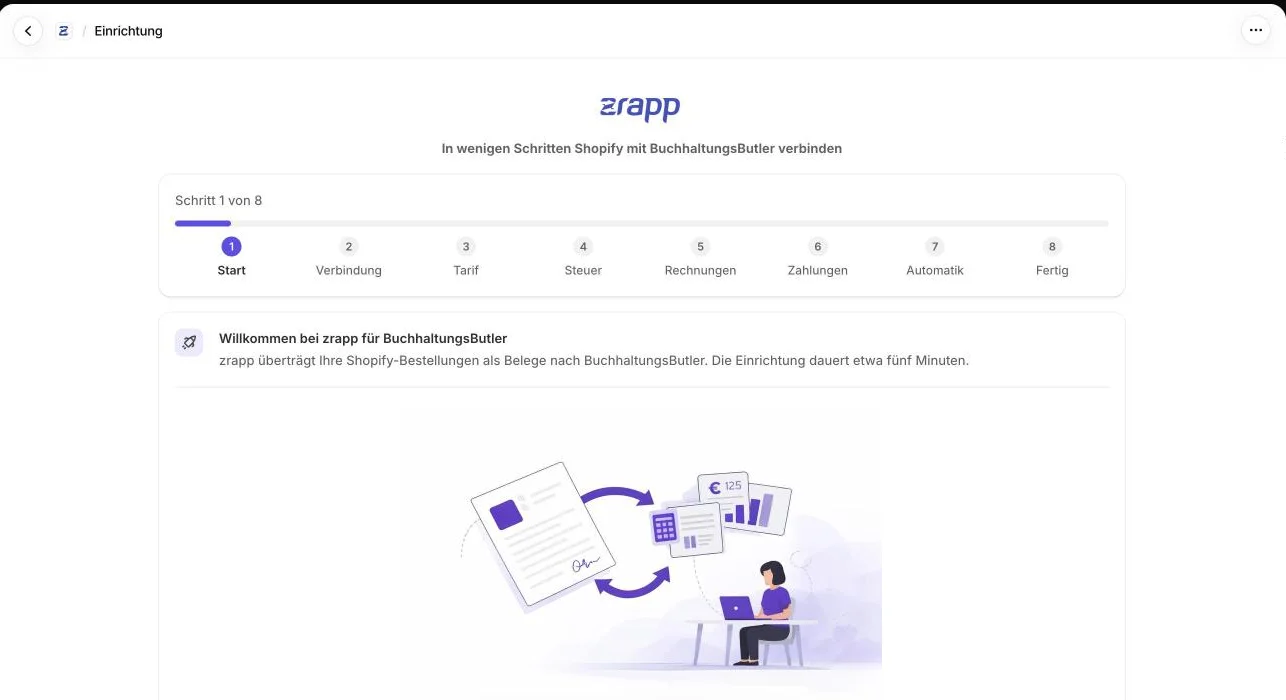
A wizard guides you through everything. Setup takes about five minutes.
Enable API access
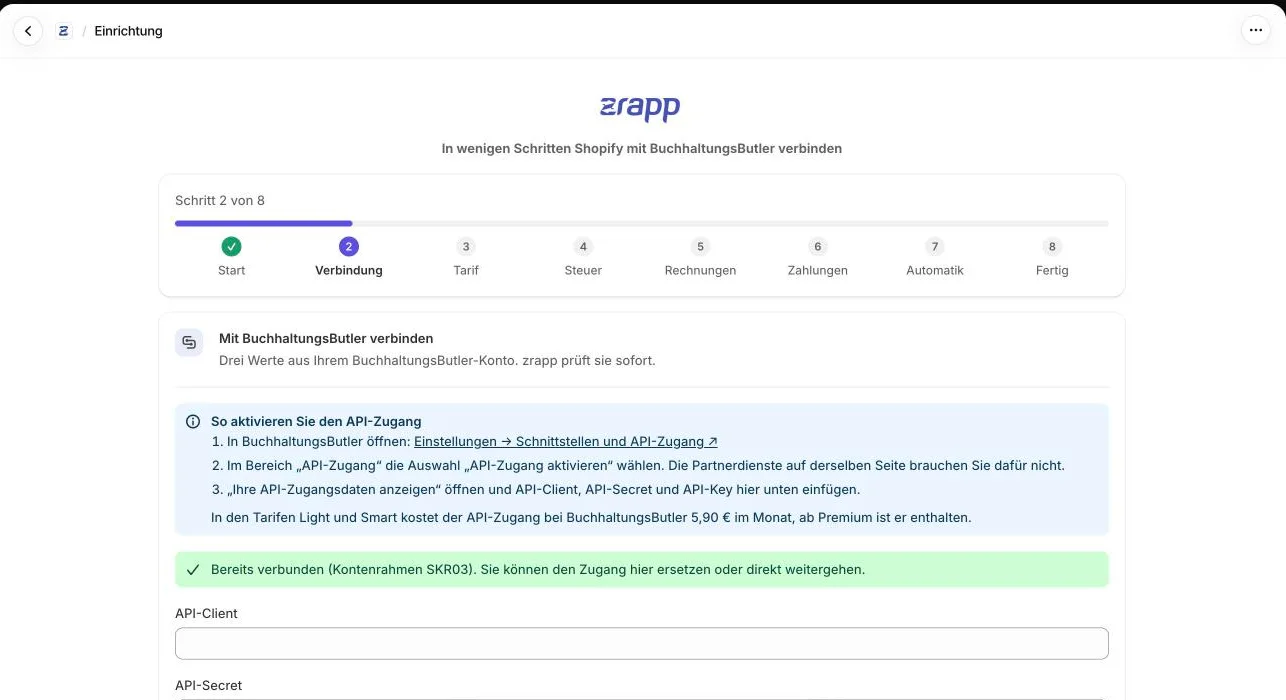
In BuchhaltungsButler under Settings → Interfaces and API access. You’ll then find API client, API secret and API key there.
Connect and pick your plan
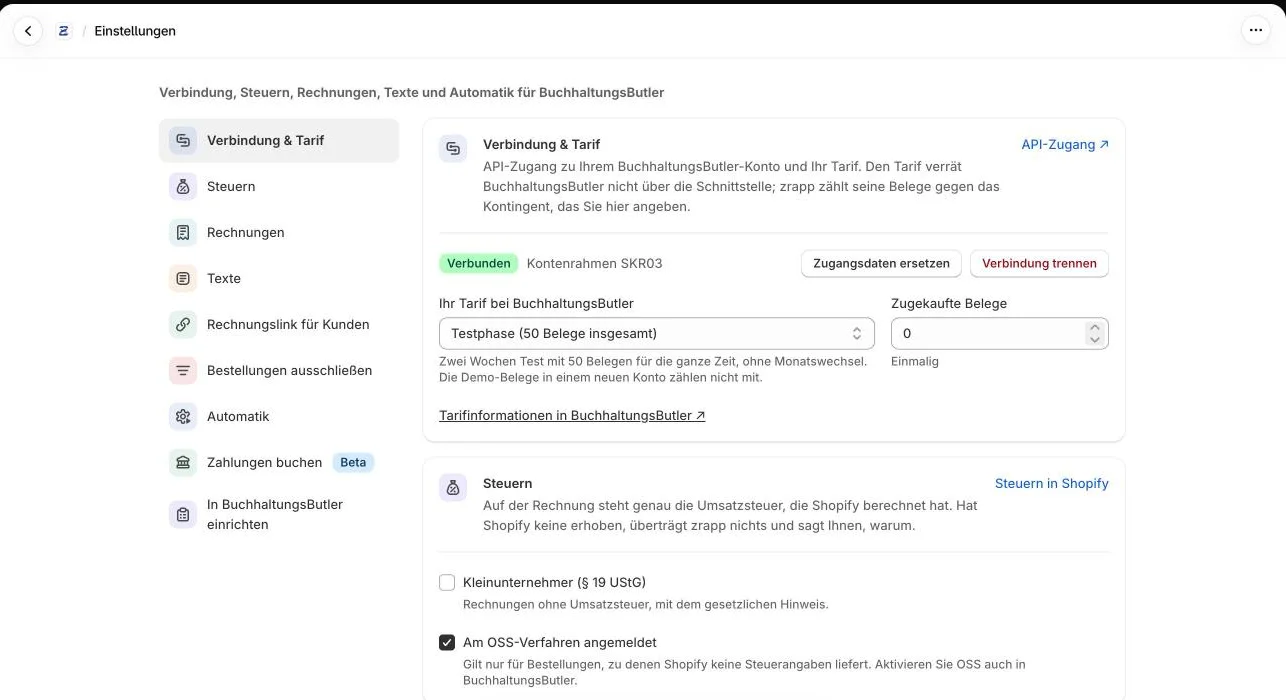
Enter the three values in zrapp. zrapp checks the access right away and asks for your BuchhaltungsButler plan so the document quota is right.
Set taxes and invoices
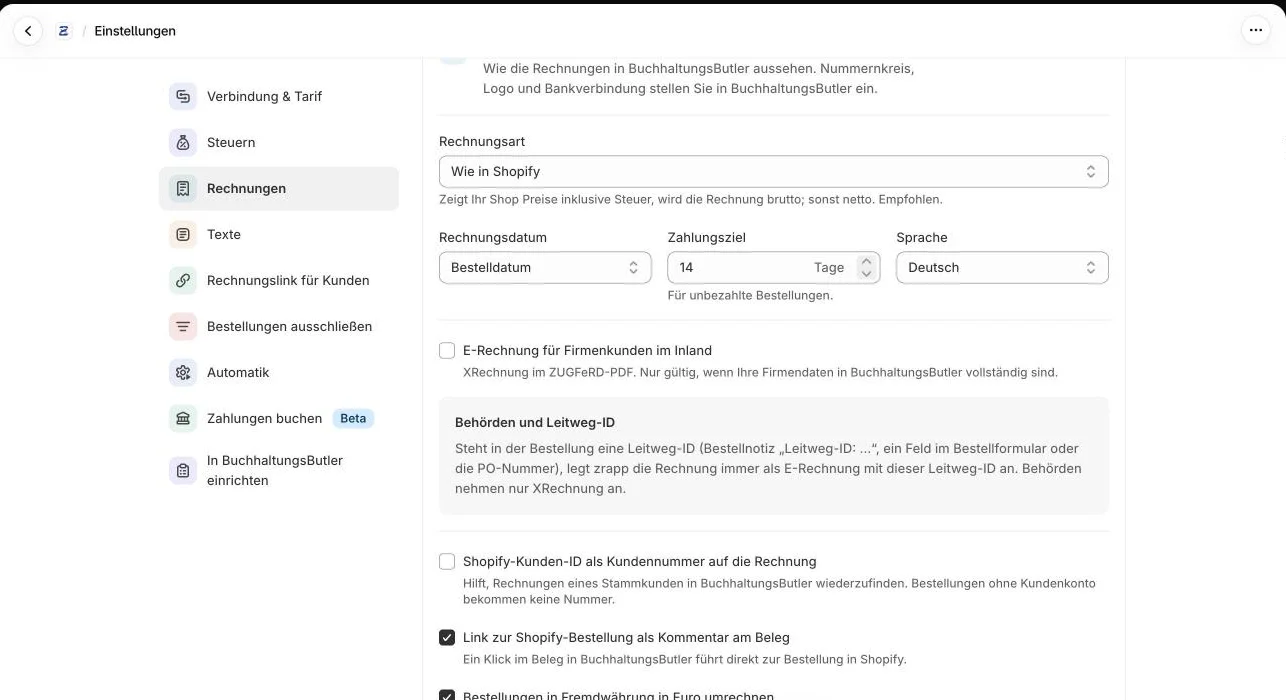
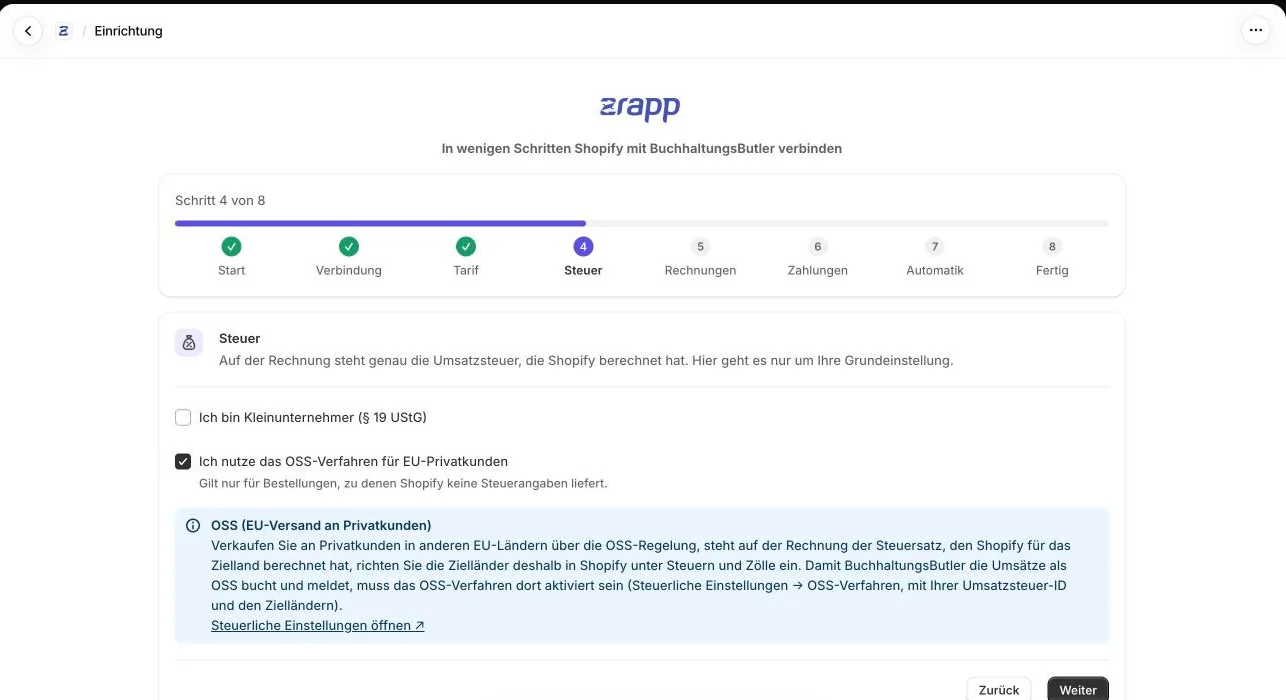
Small business yes or no, OSS, invoice type, invoice date, payment term and language.
Decide who books payments
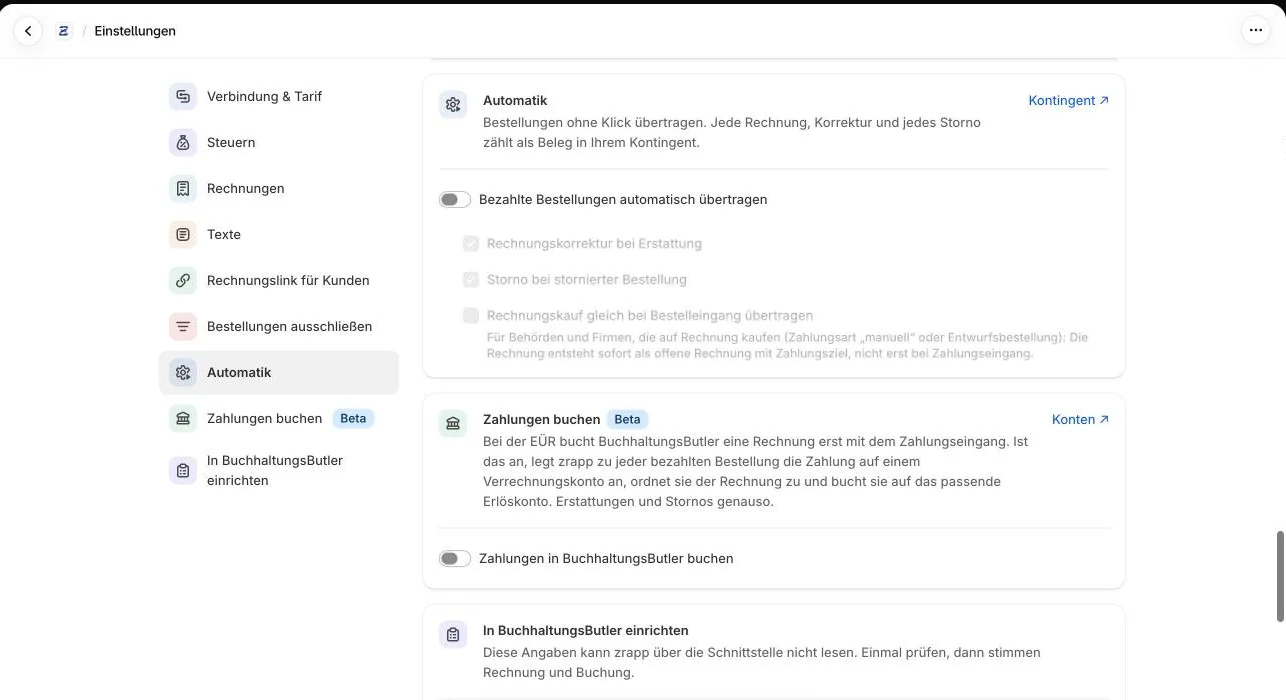
BuchhaltungsButler itself through its own Shopify or PayPal connection, or zrapp (beta). Only one of them per payment method.
Turn on automation
From then on invoices, corrections and cancellations are created on their own. Older orders you transfer under Orders.
What an order turns into.
Each of these flows was played through with real orders from a test store against a BuchhaltungsButler account.
Paid order
Order paid, with 19% VAT.
Transfers it as an invoice with exactly the tax from Shopify, a payment reference and a comment linking to the order.
Pay by invoice
Order from a draft with “payment due later” or a manual payment method, still open.
With “transfer pay-by-invoice orders on arrival” the invoice is created right away, with a payment term. When it’s paid later, no second one is created.
Partial refund
Part of the order is refunded.
Creates an invoice correction for the refunded amount, split by tax rate, referencing the invoice and using your texts for corrections.
Cancelled order
Order cancelled.
Creates a cancellation invoice for the whole invoice. If there was already a correction, zrapp doesn’t cancel, or the refund would be in the books twice.
Book paymentsBeta
Order paid.
Records the payment on your clearing account, BuchhaltungsButler matches it to the invoice, zrapp books it to the revenue account of the tax case.
Small business
Order without VAT, no tax collection set up in Shopify.
Transfers the invoice without tax and with the note under § 19 UStG. If BuchhaltungsButler is set to “VAT liable: no”, zrapp detects it by itself.
Not transferred
Order to Germany, no VAT set up in Shopify.
Transfers nothing and names the reason on the dashboard under “Not transferred”. An invoice with guessed tax would be wrong.
What zrapp für BuchhaltungsButler looks like.
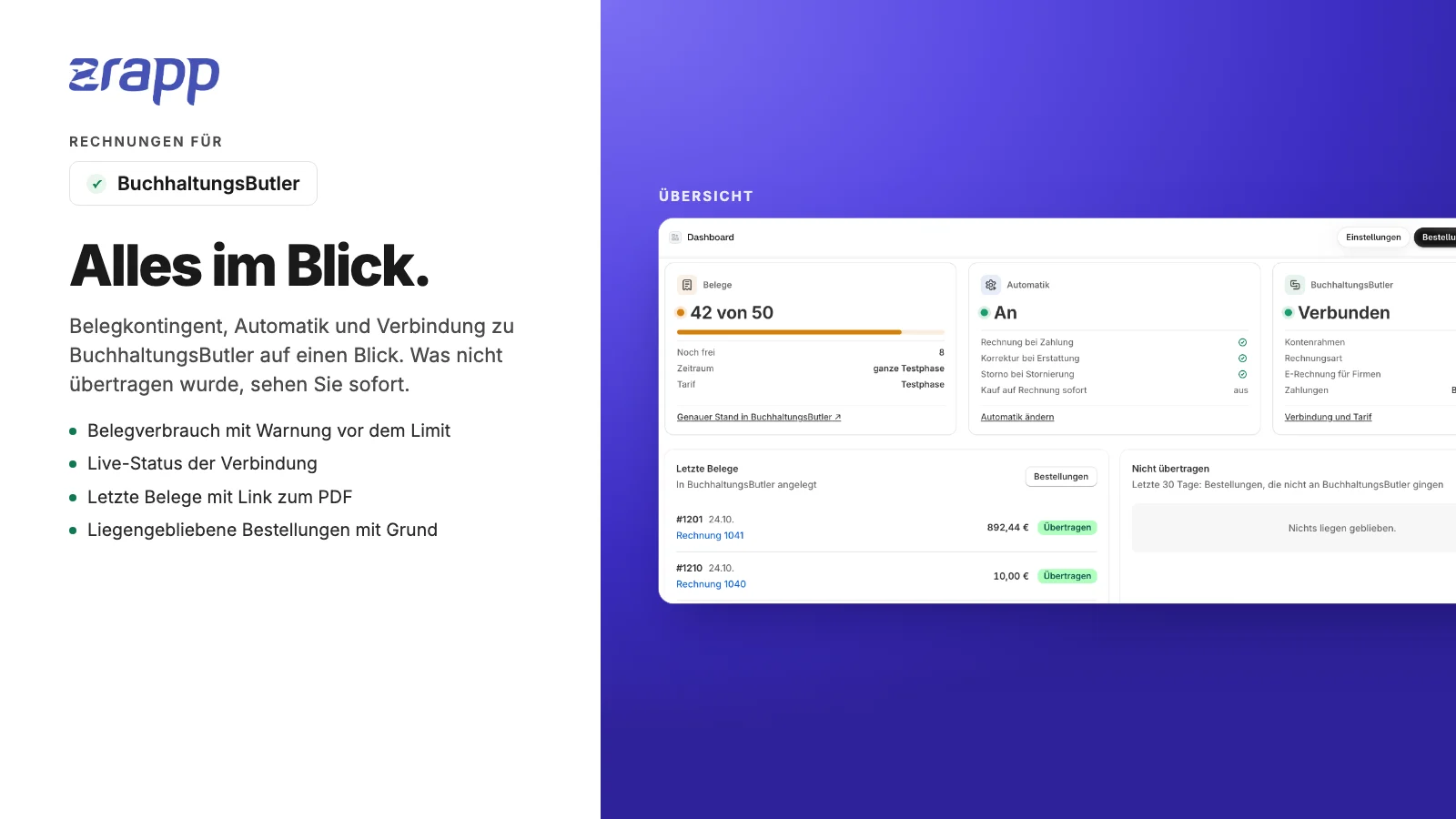
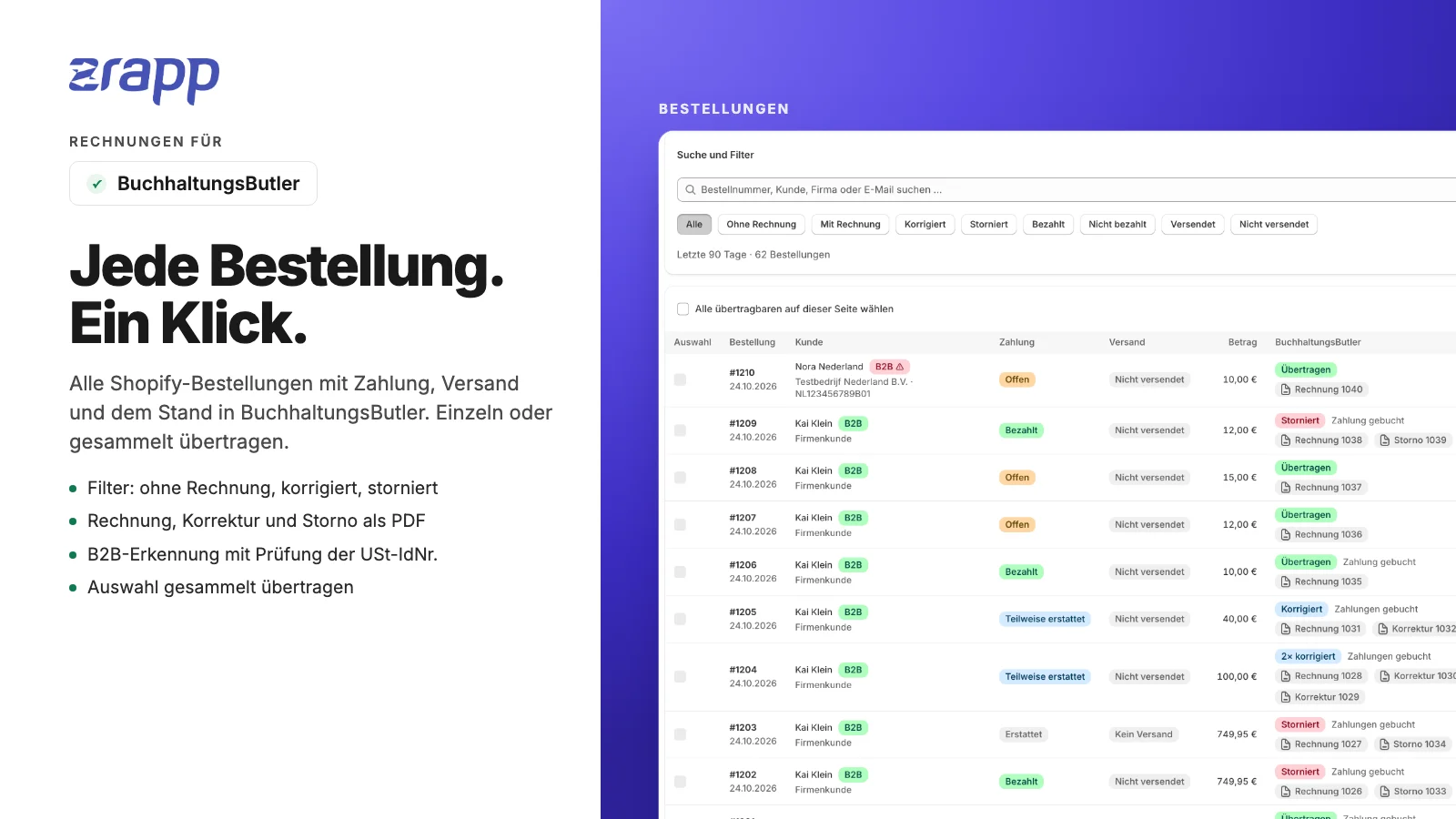
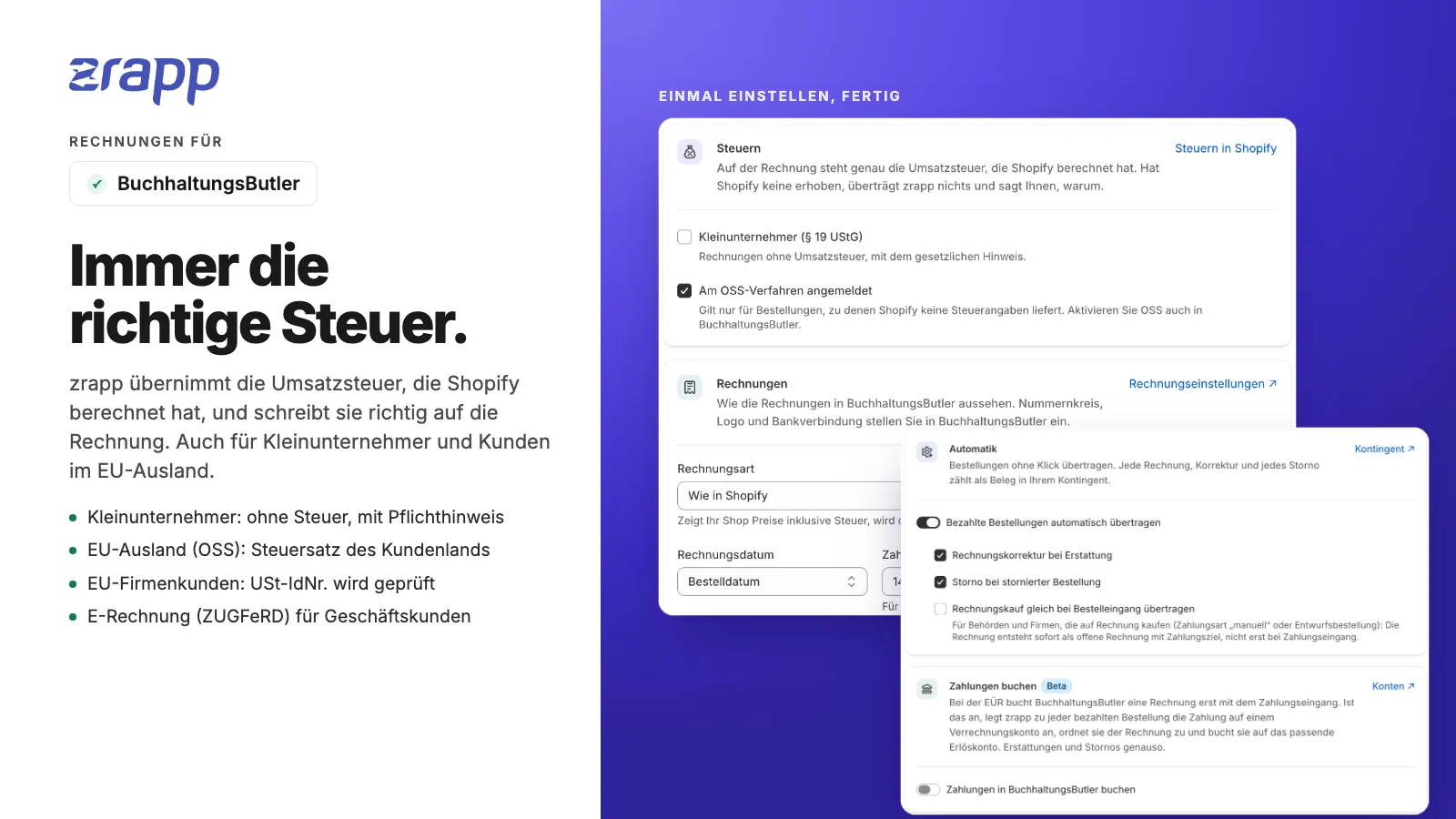
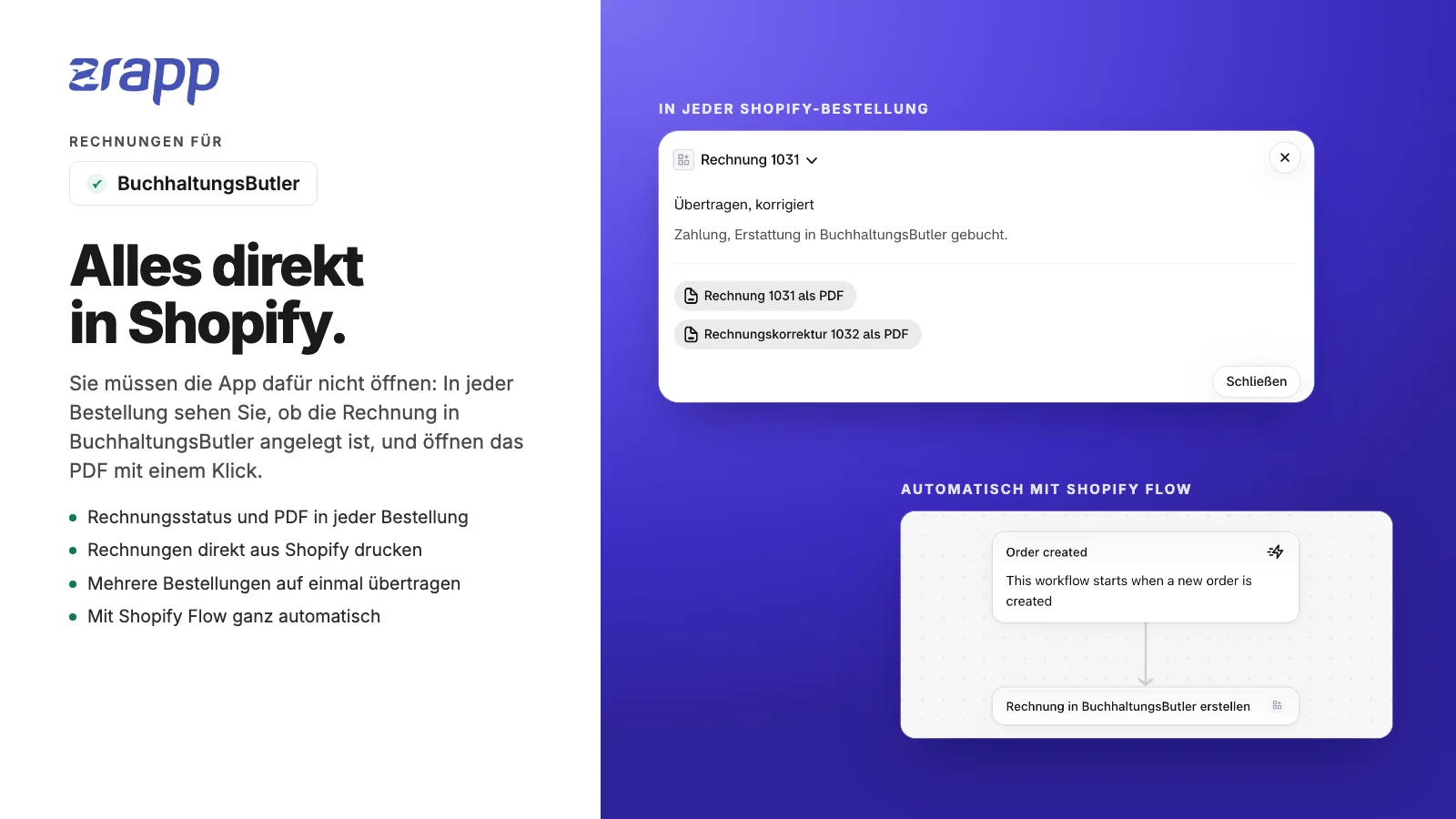
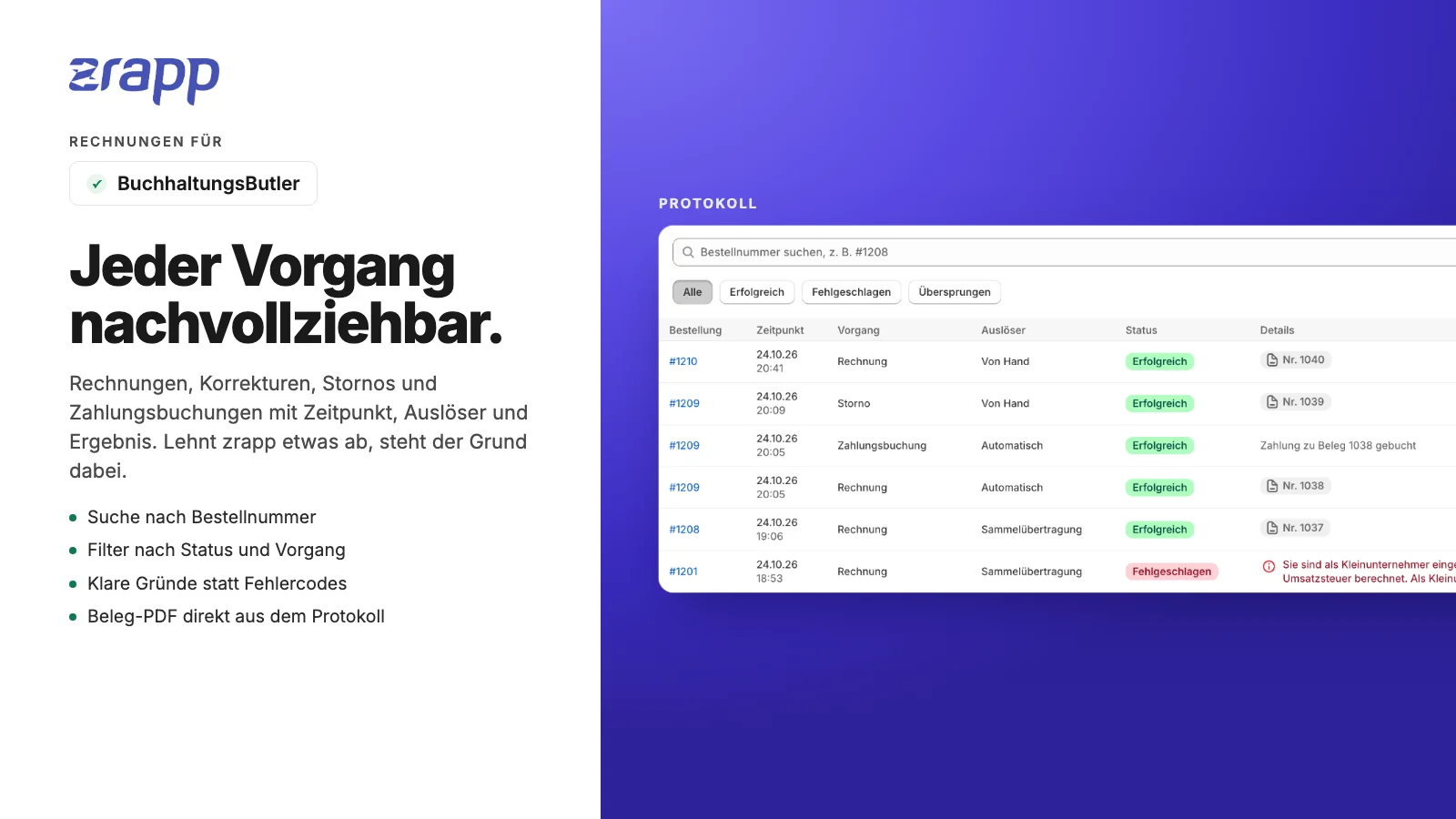
Everything zrapp für BuchhaltungsButler does
All features are included in the subscription, with no limit on the number of orders.
Which tax goes on the invoice.
Shopify is always the reference, so the invoice matches what the customer paid.
| Case | How zrapp detects it | On the invoice |
|---|---|---|
| Domestic | Shipping address in Germany, tax from Shopify | VAT per line as in Shopify, including reduced rates |
| EU consumer (OSS) | Shipping address in another EU country, Shopify charges the destination rate | Tax rate of the customer’s country |
| EU business | Valid VAT ID, no tax in Shopify | Tax-free intra-community supply, with note and VAT ID |
| Export | Shipping address outside the EU, no tax in Shopify | Tax-free export with the legal note |
| Small business | Setting in zrapp or “VAT liable: no” in BuchhaltungsButler | Without VAT, note under § 19 UStG |
| Tax missing | Taxable order, but no tax in Shopify | No invoice. zrapp names the reason instead of guessing a rate |
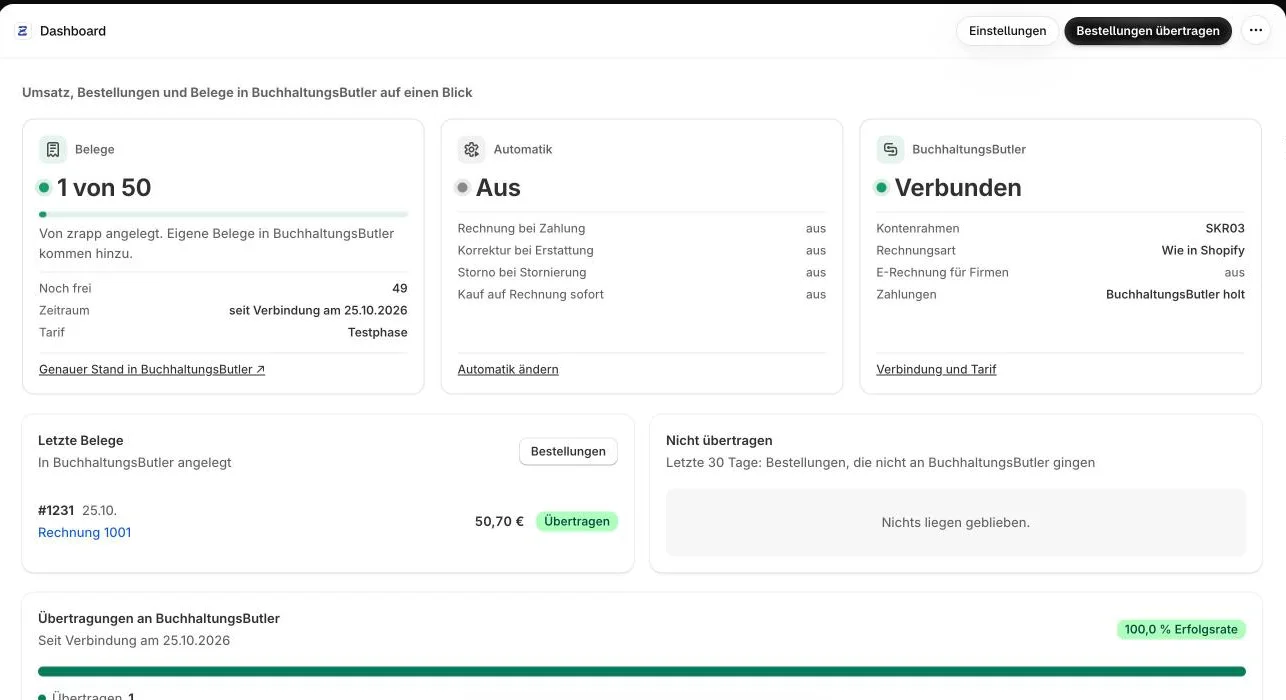
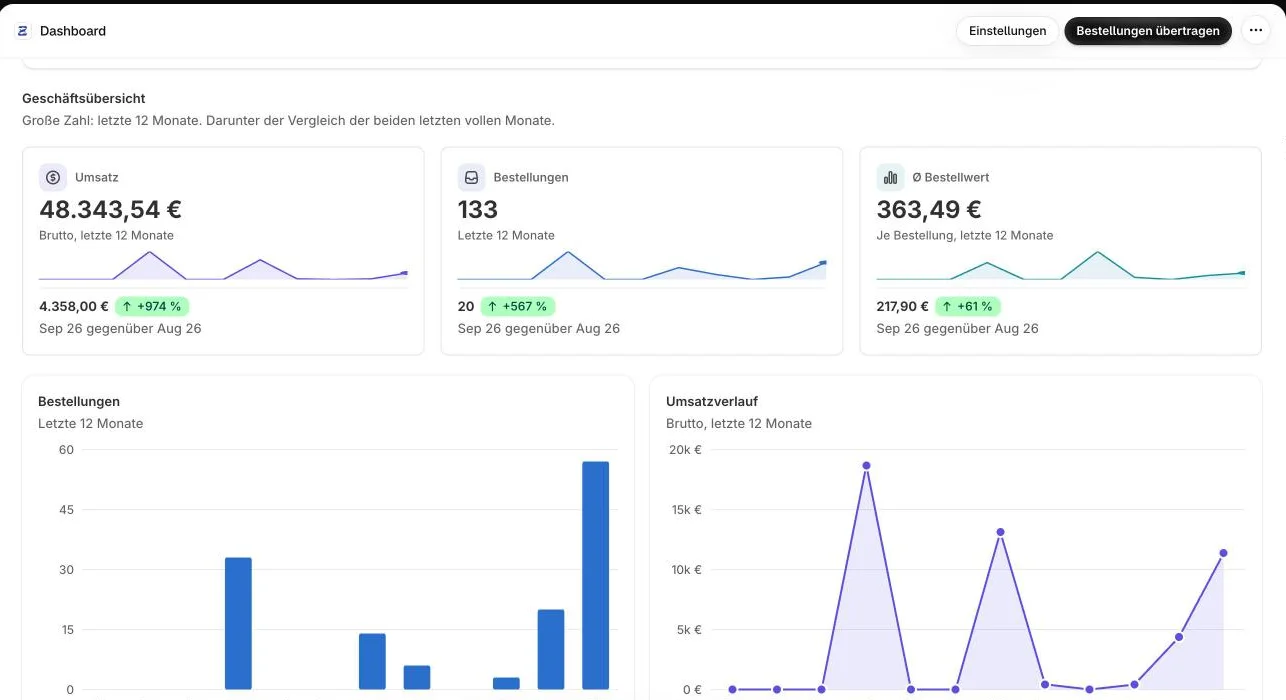
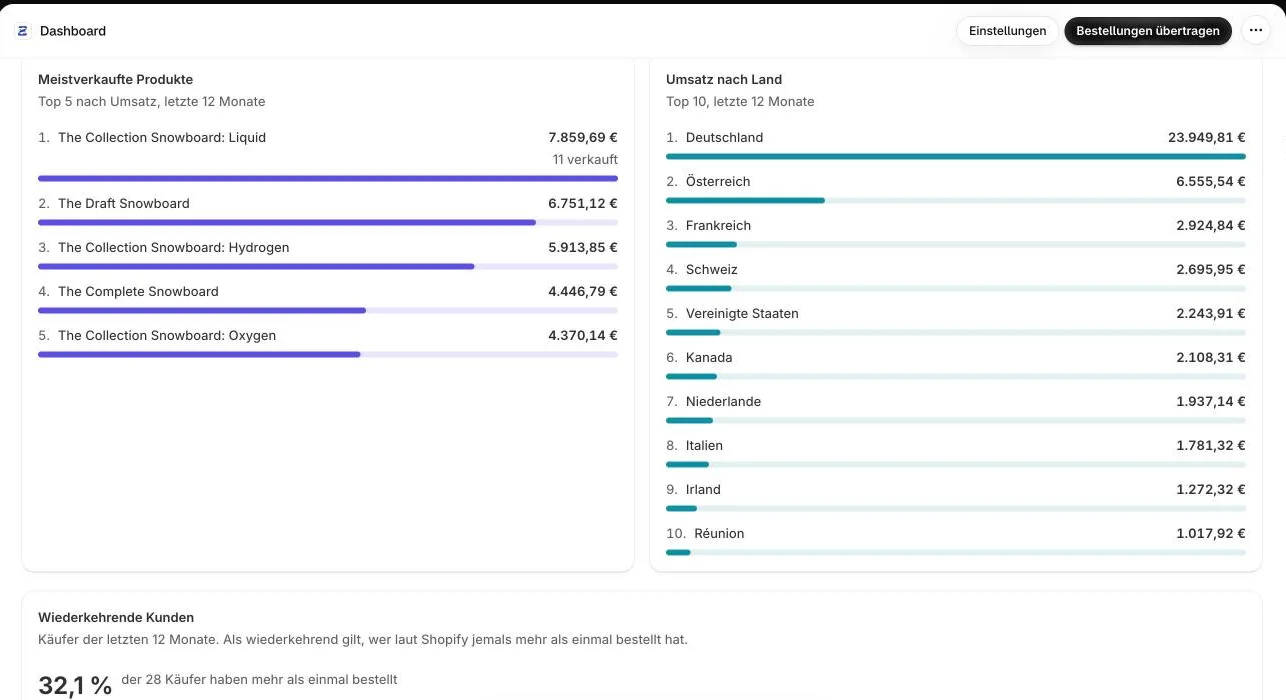
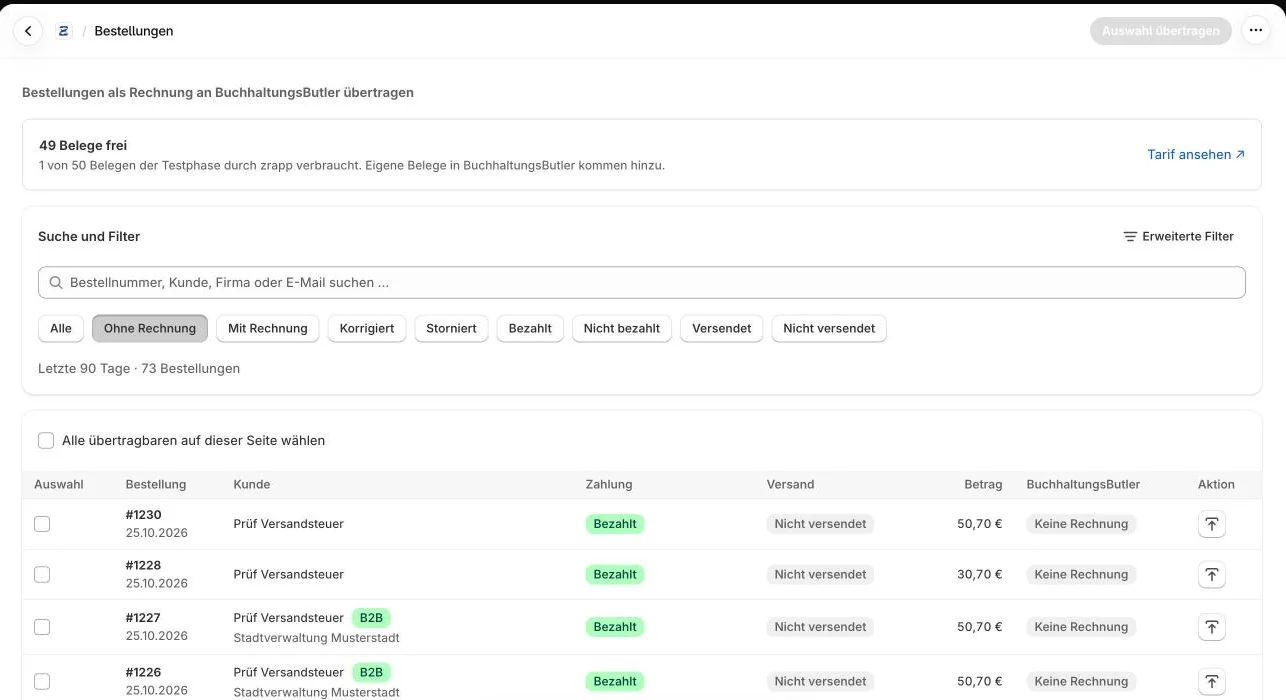
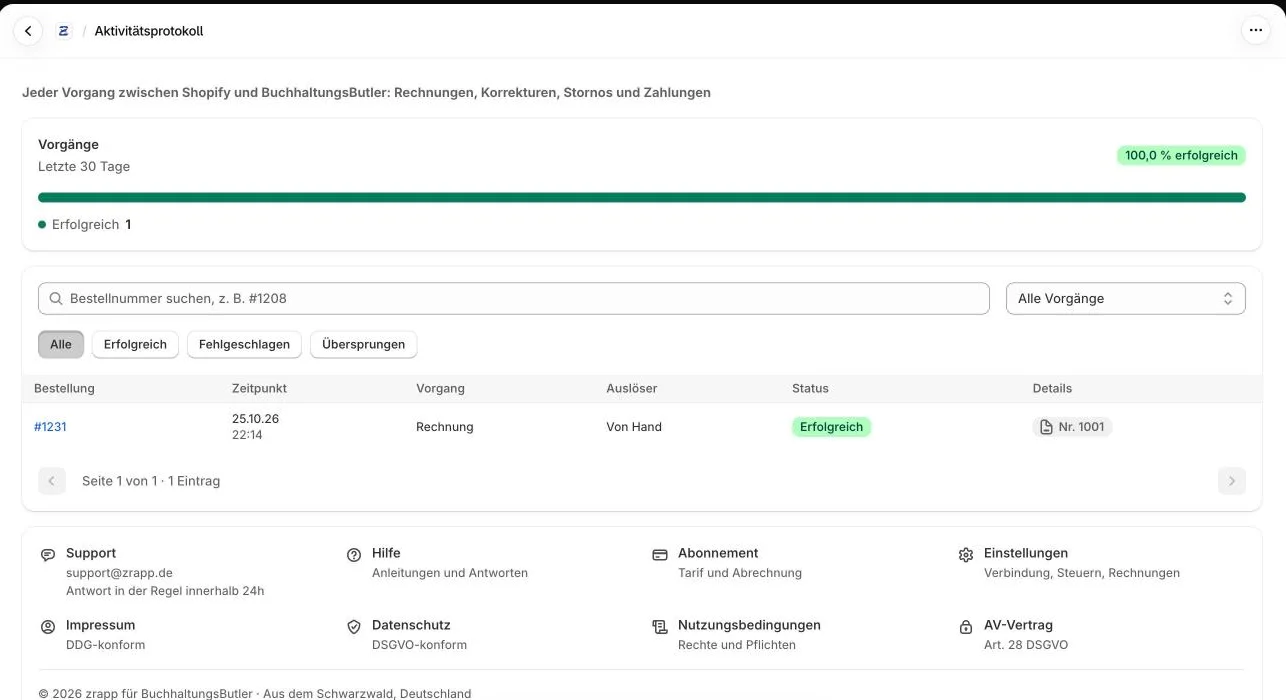
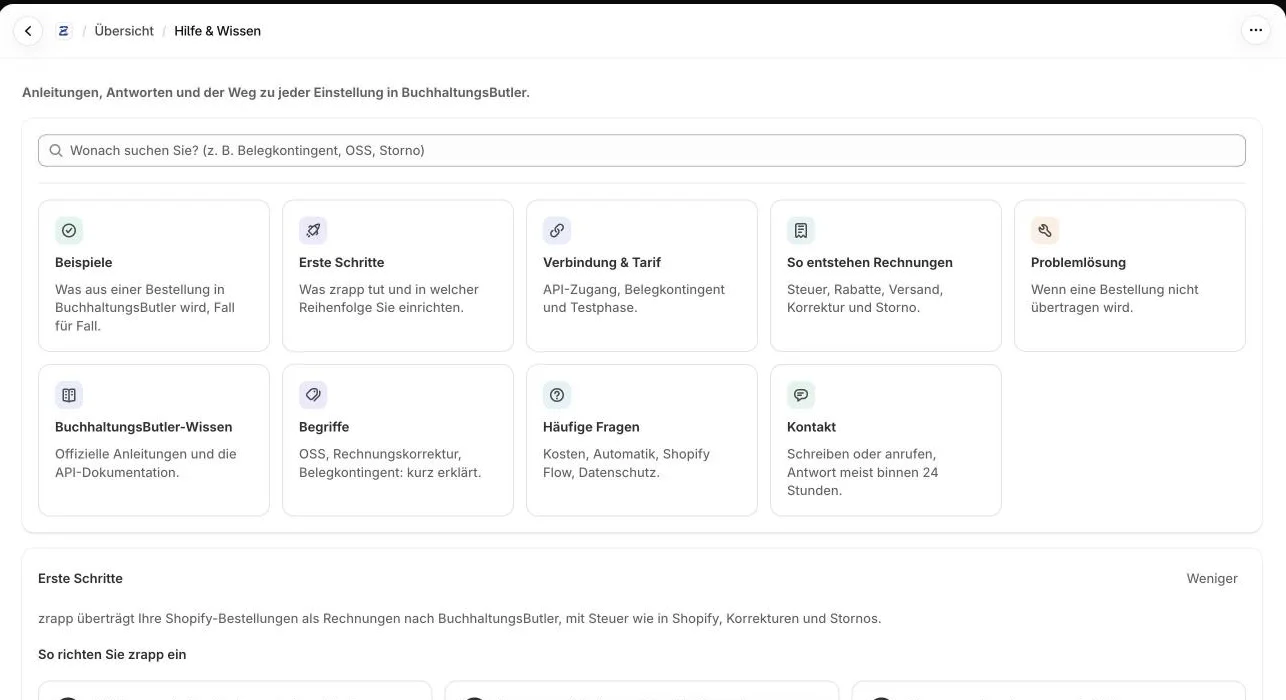
The app as it looks in the Shopify admin.
Real views from a test store connected to a BuchhaltungsButler account. The app interface is in German.
What zrapp deliberately doesn’t do.
Some things zrapp leaves out on purpose so your books stay right.
No guessed tax
If VAT is missing in Shopify, zrapp transfers nothing instead of assuming a rate.
No credit notes under § 14 UStG
Refunds become invoice corrections. Self-billing is not meant for refunds to customers.
No drafts
Invoices are final right away; BuchhaltungsButler assigns the number.
No later changes
If you edit an order after the invoice, the invoice stays as it is. Money back goes through a refund.
No contacts in BuchhaltungsButler
BuchhaltungsButler has no contact management in its API. The recipient is on the invoice.
No currency other than euro
zrapp converts foreign currency at the European Central Bank rate.
Every document counts. zrapp keeps count.
BuchhaltungsButler plans include a monthly document quota; the two-week trial 50 documents in total. Every invoice, correction and cancellation from zrapp counts, together with your incoming documents.
- BuchhaltungsButler doesn’t reveal the plan through its API. You enter it in zrapp, and zrapp counts its documents against it.
- Payments, bookings, comments and cost centres from zrapp don’t count as documents.
- Before a bulk transfer it shows how many documents it will use.
- When the quota is used up, zrapp holds invoices back and sends them with one click after a top-up or in the new month.
Servers in Germany. Credentials encrypted.
What data zrapp processes, why and where it goes is fully described in the app’s privacy policy (in German).
Hosted in Germany
Application and database run on IONOS SE servers in Germany, under a data processing agreement per Art. 28 GDPR.
Encrypted credentials
API client, API secret and API key are stored encrypted (AES-256-GCM) and used only for the transfer to BuchhaltungsButler. You can replace them anytime.
DPA in the app
You are the controller for your customers’ data, zrapp processes it on your behalf. You’ll find the DPA in the app under Legal.
On uninstall
zrapp deletes settings and credentials, Shopify ends the subscription. Your invoices stay in BuchhaltungsButler.
One plan. Everything included.
Unlimited orders, all features, billed through your Shopify invoice.
All inclusive
- 14-day free trial
- Unlimited orders, invoices, corrections and cancellations
- All features, including e-invoices, Shopify Flow and booking payments
- No minimum term, switch between monthly and yearly in Shopify
Prices in US dollars as billed by Shopify. BuchhaltungsButler may charge for API access (see document quota).
Frequently asked questions
What is zrapp für BuchhaltungsButler?
A Shopify app that sends your orders to BuchhaltungsButler as invoices, with the tax from Shopify, an invoice correction on refunds and a cancellation on cancelled orders. It’s a product of zrapp.group and not an offer of BuchhaltungsButler GmbH.
Doesn’t BuchhaltungsButler have its own Shopify connection?
Yes, for payments and Shopify Payments sales. zrapp adds the invoices: each invoice carries a payment reference that BuchhaltungsButler uses to match payment and invoice. Both can be combined.
What does zrapp für BuchhaltungsButler cost?
14-day free trial, then US$6.99 a month or US$69.90 a year, unlimited orders. Billed through Shopify. At BuchhaltungsButler, API access costs €5.90 a month in the Light and Smart plans and is included from Premium on.
When will the app be in the Shopify App Store?
The app has been submitted and is being reviewed by Shopify. Once approved, the install link will appear here. We’re happy to answer questions now at support@zrapp.de.
Which tax goes on the invoice?
Exactly what Shopify calculated per line, including OSS countries and reduced rates. If tax is missing in Shopify on a taxable order, zrapp transfers nothing and names the reason.
What happens on refunds and cancellations?
A refund becomes an invoice correction for the refunded amount, split by tax rate and referencing the invoice. A cancellation becomes a cancellation invoice for the whole invoice. If there was already a correction, zrapp doesn’t cancel again.
Are there e-invoices?
Yes, as ZUGFeRD with XRechnung for domestic business customers when you switch it on. If the order has a Leitweg-ID, it’s always an e-invoice with that Leitweg-ID. E-invoices are only valid with complete company details in BuchhaltungsButler.
Who books the payments?
Either BuchhaltungsButler itself through its Shopify or PayPal connection, or zrapp (beta): then zrapp records each payment on a clearing account and books it to the revenue account. Only one of them per payment method, or sales get doubled.
How many documents does zrapp use?
Every invoice, correction and cancellation counts as one document in your BuchhaltungsButler quota. Payments and bookings don’t. zrapp shows the usage and holds invoices back when the quota is full.
Can an order be transferred twice?
No. zrapp remembers every transferred invoice and searches for the payment reference before creating one, even if Shopify sends an event more than once.
My store sells in another currency.
BuchhaltungsButler invoices in euro only. zrapp converts at the European Central Bank reference rate of the invoice date; original amount and rate are on the invoice. Corrections use the same rate.
Does it work with the BuchhaltungsButler trial?
Yes. Choose the “Testphase” plan in zrapp. Without a plan, BuchhaltungsButler deactivates the trial account after two weeks, and the connection stops working too.
Can I use it alongside the zrapp app for sevdesk and Lexware Office?
Yes. Both apps have separate settings, credentials and subscriptions, even in the same store.
What happens when I uninstall?
zrapp deletes your settings and credentials, Shopify ends the subscription. Your invoices stay in BuchhaltungsButler, and so do the notes and metafields on the Shopify orders.
The official guides.
Articles from the BuchhaltungsButler knowledge base (in German) that help with setup and daily work.
Setup
Invoices
Shopify, payments, taxes
The right zrapp app for your accounting.


Accounting with Shopify: the guides
We’re here to help
We usually reply within 24 hours. The app also has searchable help with examples, troubleshooting and a glossary.
For error reports, please include: your shop domain (e.g. myshop.myshopify.com), the affected order number, what you expected and what happened. A screenshot helps.
support@zrapp.deOrder paid. Invoice in BuchhaltungsButler.
Once set up, every order writes its own invoice.
zrapp für BuchhaltungsButler is a product of zrapp.group and not an offer of BuchhaltungsButler GmbH. BuchhaltungsButler is a trademark of its owner. Tax assessment in individual cases is up to your tax advisor.